kubernetes
Know what your Kubernetes clusters cost
Attribute every node, pod, and GPU workload to the team, product, or feature behind it. Allocate all of your cluster spend, with no complex allocation formulas or custom scripts.
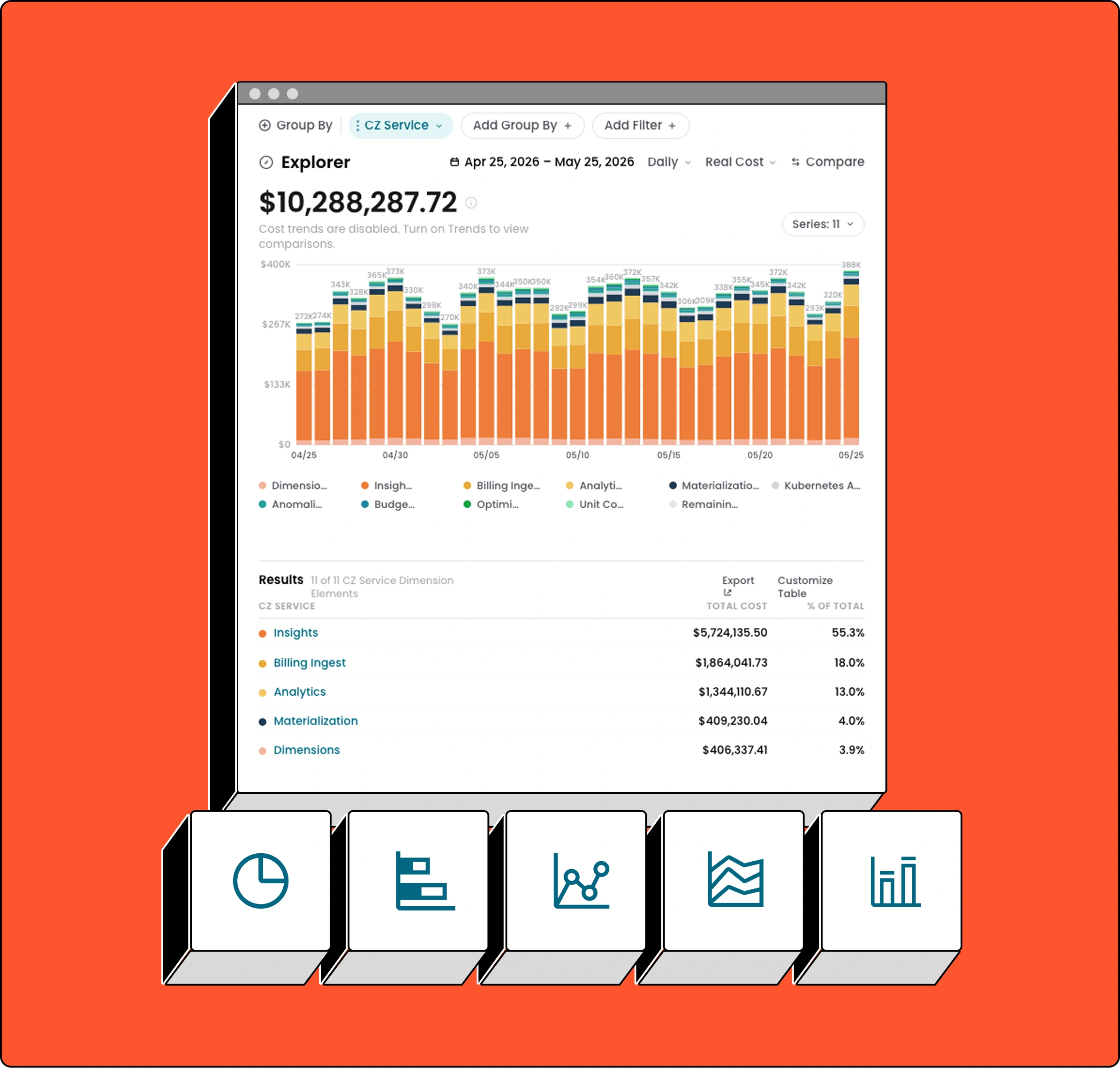
See your full Kubernetes spend by cluster, namespace, workload, or team
CloudZero’s allocation engine automatically maps every pod’s CPU, memory, and GPU usage to the business dimensions behind it. A clear answer to where every dollar is going, down to the hour.
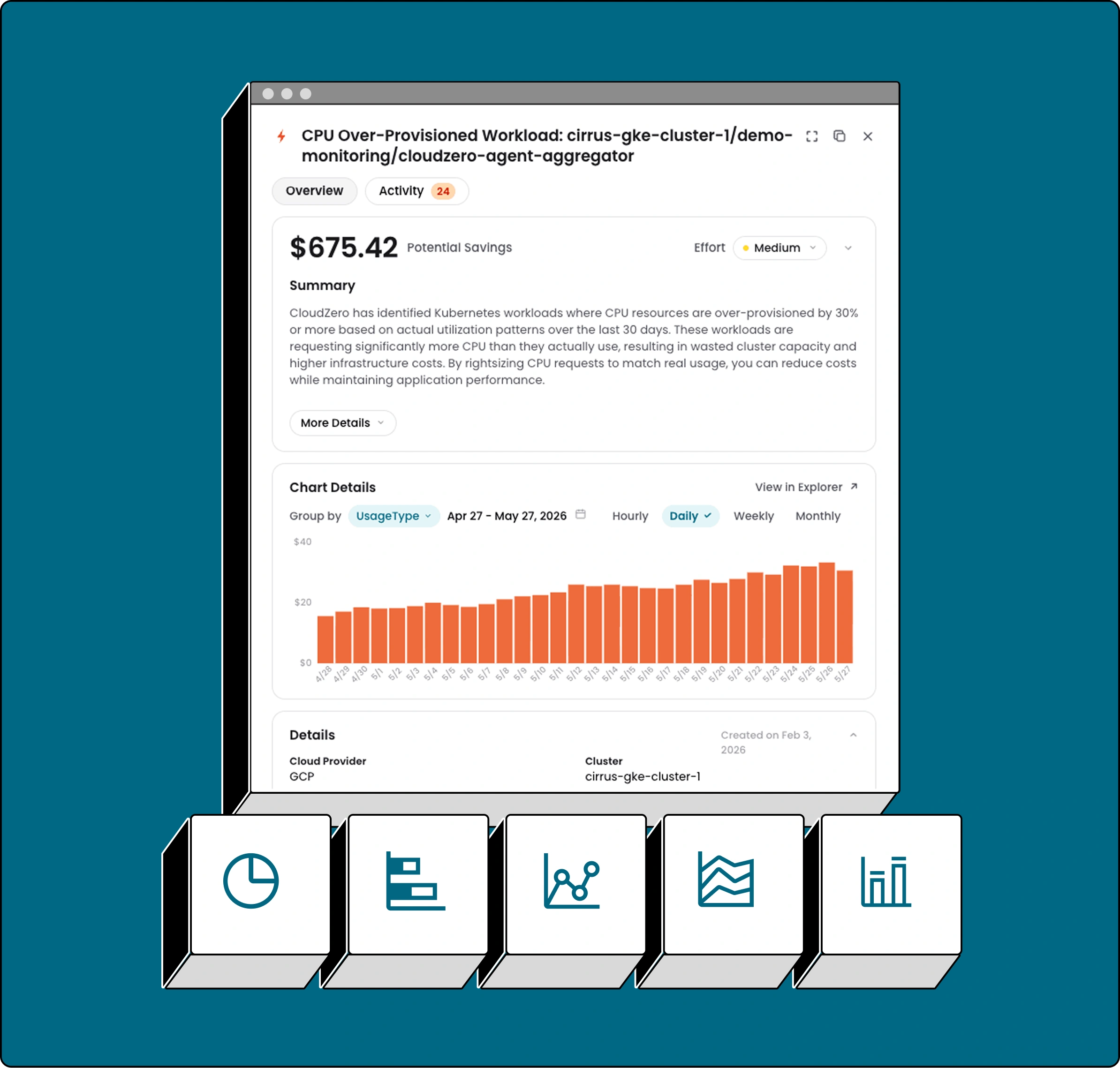
Find the waste before it finds you
Kubernetes teams routinely overprovision CPU and memory to stay safe. CloudZero’s Optimize recommendations identify exactly which workloads are wasting compute, with efficiency scores and specific actions for your team. Reduce waste without guessing.
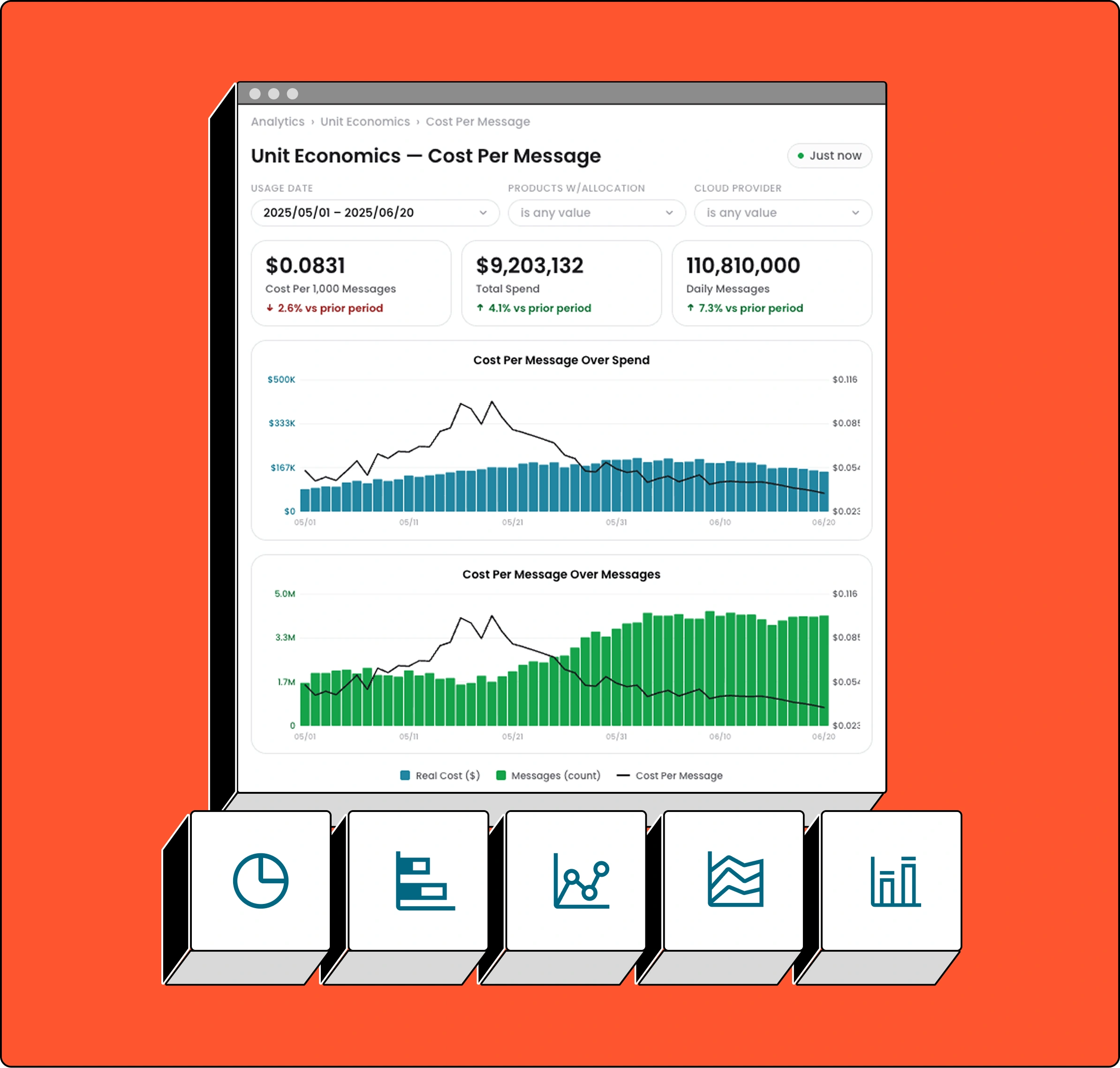
Tie every cluster dollar to the outcome it produced
CloudZero translates Kubernetes spend into the unit economics your business runs on, including cost per customer, per product, or per AI feature. This means engineering and finance share the same view of value.
See where your Kubernetes investment goes
Every cluster cost, attributed
Pod-level CPU, memory, and GPU usage automatically mapped to cluster, namespace, workload, label, team, or product. CloudZero’s allocation engine weights CPU, memory, and GPU requests proportionally per pod, distributing shared node costs, including idle overhead, across workloads.
Find the waste before it finds you
Kubernetes teams often don’t know where they’re overprovisioned until the bill arrives. CloudZero Optimize automatically flags CPU- and memory-overprovisioned workloads, with per-workload efficiency scores and actionable right-sizing recommendations.
GPU workloads, finally attributed
As AI inference runs on Kubernetes, GPU spend needs the same attribution as CPU and memory. CloudZero’s CZ Agent factors GPU requests into cost allocation, connecting your most expensive AI workloads to the responsible teams and features.

Within two weeks, we had already found enough savings to pay for a year’s worth of license. It was that good — that intuitive.

Stuart Davidson
Platform Engineering Lead, Skyscanner

As we continue to expand our AI capabilities, understanding the direct correlation between our AI investments and business outcomes is critical. CloudZero has been instrumental in providing the granular visibility we need to optimize our AI infrastructure costs while maintaining our service quality. The enhancements to CloudZero strengthens our ability to make data-driven decisions about AI investments, ensuring we deliver maximum value to our customers while maintaining healthy unit economics.

Josh Collier
A Finance Leader at Superhuman
Used granular allocation to optimize AI infrastructure costs

CloudZero has been a game-changer for us in managing the rapidly growing costs of our AI initiatives. By providing deep visibility into our cloud spending and helping us optimize costs at a granular level, we can focus on scaling our AI solutions without worrying about runaway expenses. It’s not just about saving money — it’s about enabling innovation while maintaining financial accountability and control.

Pete Rubio
SVP of Platform and Engineering, Rapid7
Able to innovate with AI while maintaining financial accountability



The financial control plane for AI spend
Every AI dollar. Every outcome. Connected.