Why this matters
Until now, allocating by account name meant doing the work yourself: hand-building a custom dimension that mapped every twelve-digit AWS ID to a readable name, then maintaining it by hand in CostFormation. That mapping is fragile. Rename a definition or edit the wrong line and dashboards that depended on it quietly break. Now the account name is built in for accounts connected through AWS CUR 2.0. You group and allocate by the name your team already uses, without a lookup to maintain and without the breakage that came with it.
What we built
AWS account name is now a core dimension in CostFormation. For accounts connected through CUR 2.0, the dimension populates automatically from the billing export. No custom dimension to build or maintain. Accounts still on legacy CUR are not affected by this change.
How it works
When you build or edit a CostFormation definition, pick the AWS account name as a grouping or allocation dimension. For CUR 2.0 accounts, names resolve automatically. No account-ID lookup to build, and no IDs to map by hand.
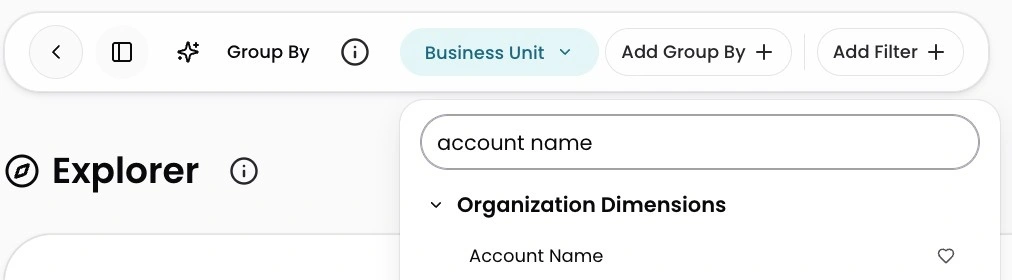
Image: AWS Account Name is now available as an organization dimension in Explorer for accounts connected through CUR 2.0.











