Why this matters
When we shipped Compare Periods earlier this year, it solved a core challenge: seeing two time periods on one chart without switching tabs or exporting to a spreadsheet. As more people started using custom date ranges, we saw a chance to make setting them up quicker and easier.
At CloudZero, one of our core principles is “Commit, Then Iterate.” We’d rather ship, learn from how you actually use it, and make it better than wait for perfection. So we took that feedback as a signal to rethink the workflow, not just fix the edges.
What we built
The biggest change is how you set a custom comparison range. Previously, the custom flow used a pair of buttons that shifted the date window in ways that were hard to predict. Now, you pick a start date or an end date, and CloudZero fills in the other to match the length of your base period. If your base period is 30 days, the compared period is 30 days. The calendar blocks any dates that would overlap with your base period, so the math is always clean.
The interface also does more to explain itself as you go. Helper text tells you what the custom range fields expect and confirms how many days your period covers, so you never have to guess whether you set it up correctly.
Presets got an update as well. Each one now shows the exact dates it covers, so you can see which range you’re comparing against before you commit to it.
We also reversed the bar order in comparison charts. The historical period now reads on the left and the current period on the right, so the chart reads like a timeline. Previously it was the other way around, which made costs that were going down look like they were going up.
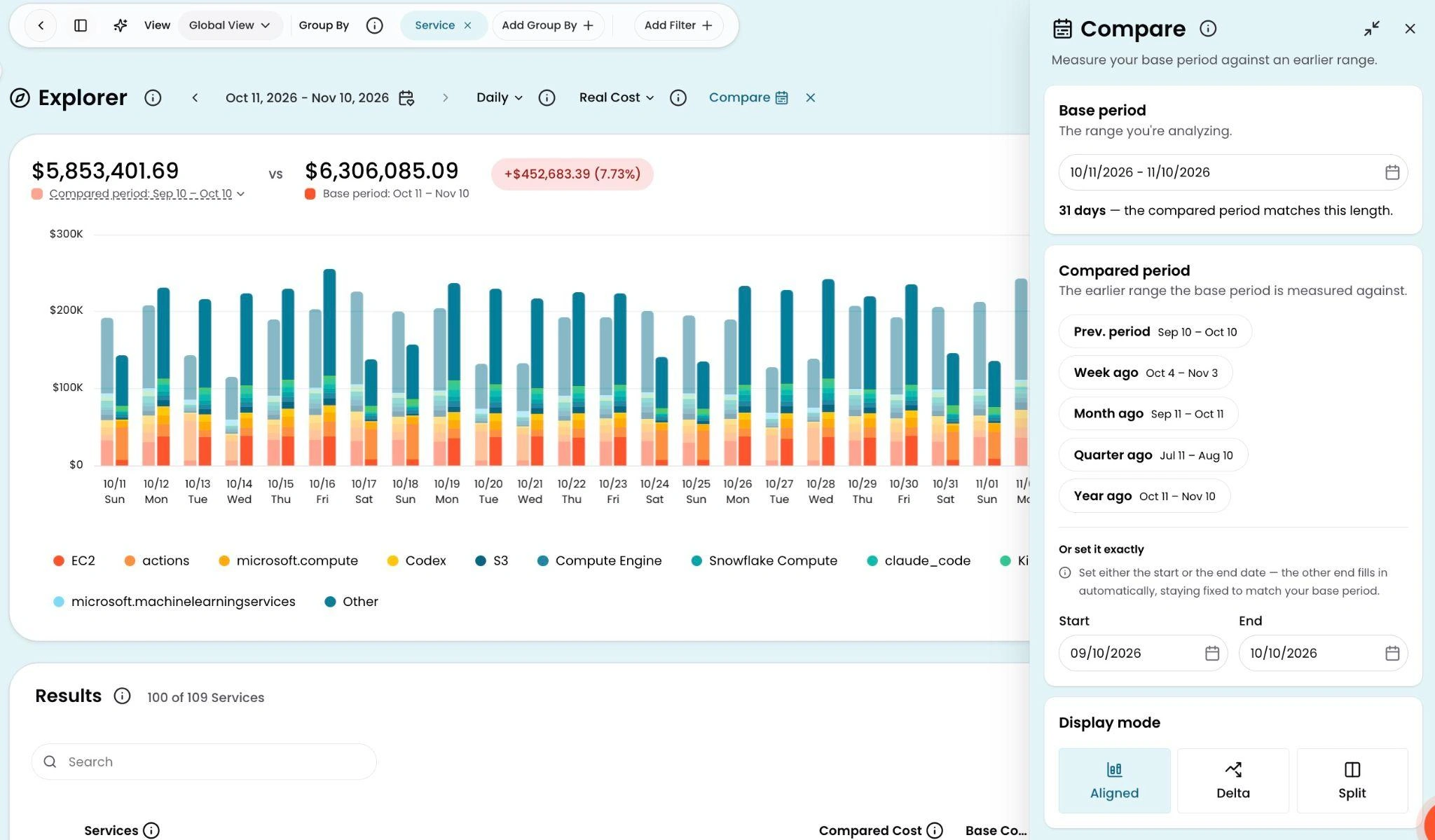
The redesigned Compare panel in Explorer. Presets show the exact dates each range covers, and the custom fields let you set a start or end date while CloudZero matches the period length automatically.
How it works
In Explorer, click Compare in the toolbar to choose a preset or set a custom range.
This is the third round of improvements to Compare Periods since it launched. If you have strong opinions about how comparisons should work, we want to hear them!
See it in the docs → docs.cloudzero.com/docs/compare-periods