Why this matters
When you connect an AI gateway or collector, you need to confirm that events are reaching CloudZero. Livestream shows each AI call within seconds, so you can check your setup while you’re still configuring it. If a call is missing a field or tied to the wrong team, you see it in the event itself.
This is most useful during setup. You can check that each event arrives with the right context, such as the team, project, and model, before you rely on the data in reports.
What we built
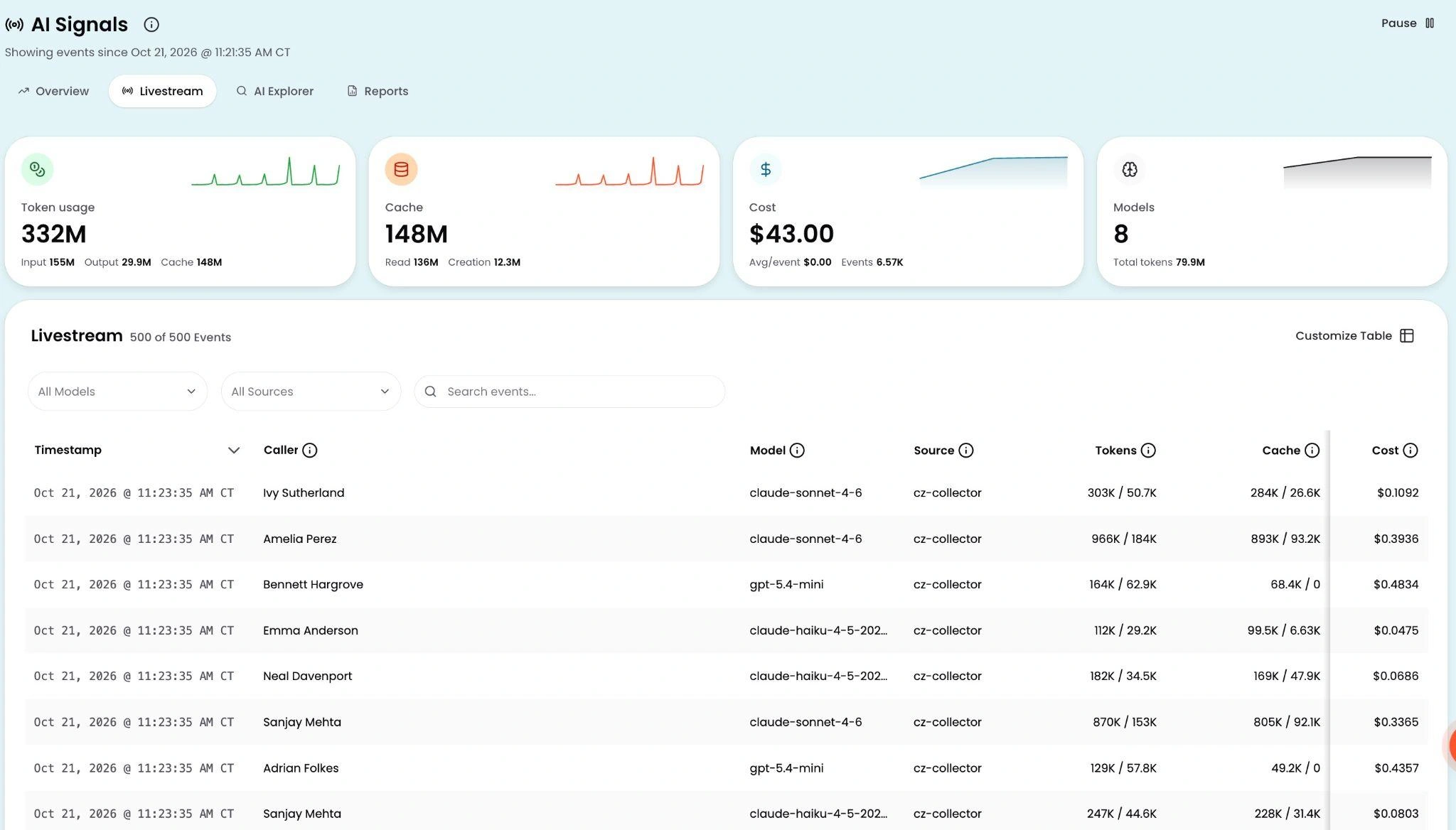
Livestream is a tab in AI Signals that shows each AI inference event within seconds of the call. Summary cards at the top show total token usage, cache volume, cost, and active model count. Below that, a live event table lists each call with who made it, the model, the source, tokens used, cache hits, and estimated cost.
To add columns, open the Customize Table panel and choose fields such as activity, department, team, project, GitHub repo, git branch, and tool. You can filter by model or source, or search for a specific caller or event.
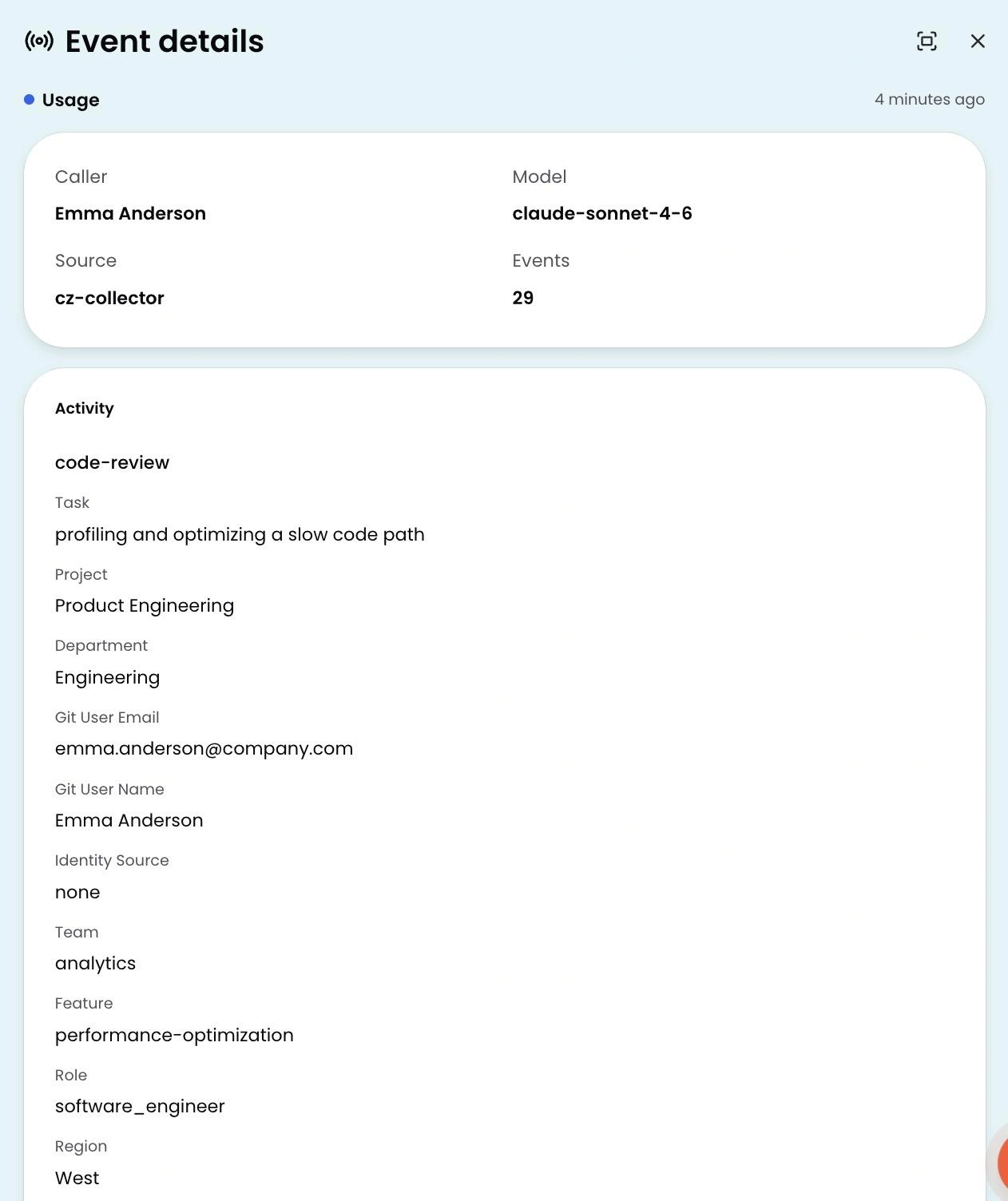
Click any row to open the event detail panel. It shows the activity, the task the call was part of, the team and project it belongs to, and the git user email and more.
How it works
Open AI Signals and click the Livestream tab. New events appear as they arrive, and the summary cards update with each one to show current token volume, cache usage, cost, and model count.
See it in the docs → https://docs.cloudzero.com/docs/real-time-ai-spend-with-ai-signals#livestream











