Why this matters
If you haven’t tried Labs yet, here’s the short version: it’s a page in CloudZero where you can opt into early-access features before they’re generally available. Everything is opt-in, nothing changes until you flip a switch, and you can turn anything off at any time. There are multiple experiments available today, with more on the way.
Labs started as an engineer’s hackathon project. The idea was strong enough to make it into the platform, and we wrote about it when it first launched (Shipped: Introducing Labs). But the original page was a flat list with no way to filter, sort, or see what was already enabled for you. As the experiment count grew, it needed to feel like part of the platform, not a side project.
Labs exists so we can learn from real usage, so we redesigned the page to make browsing, organizing, and giving feedback easier.
What we built
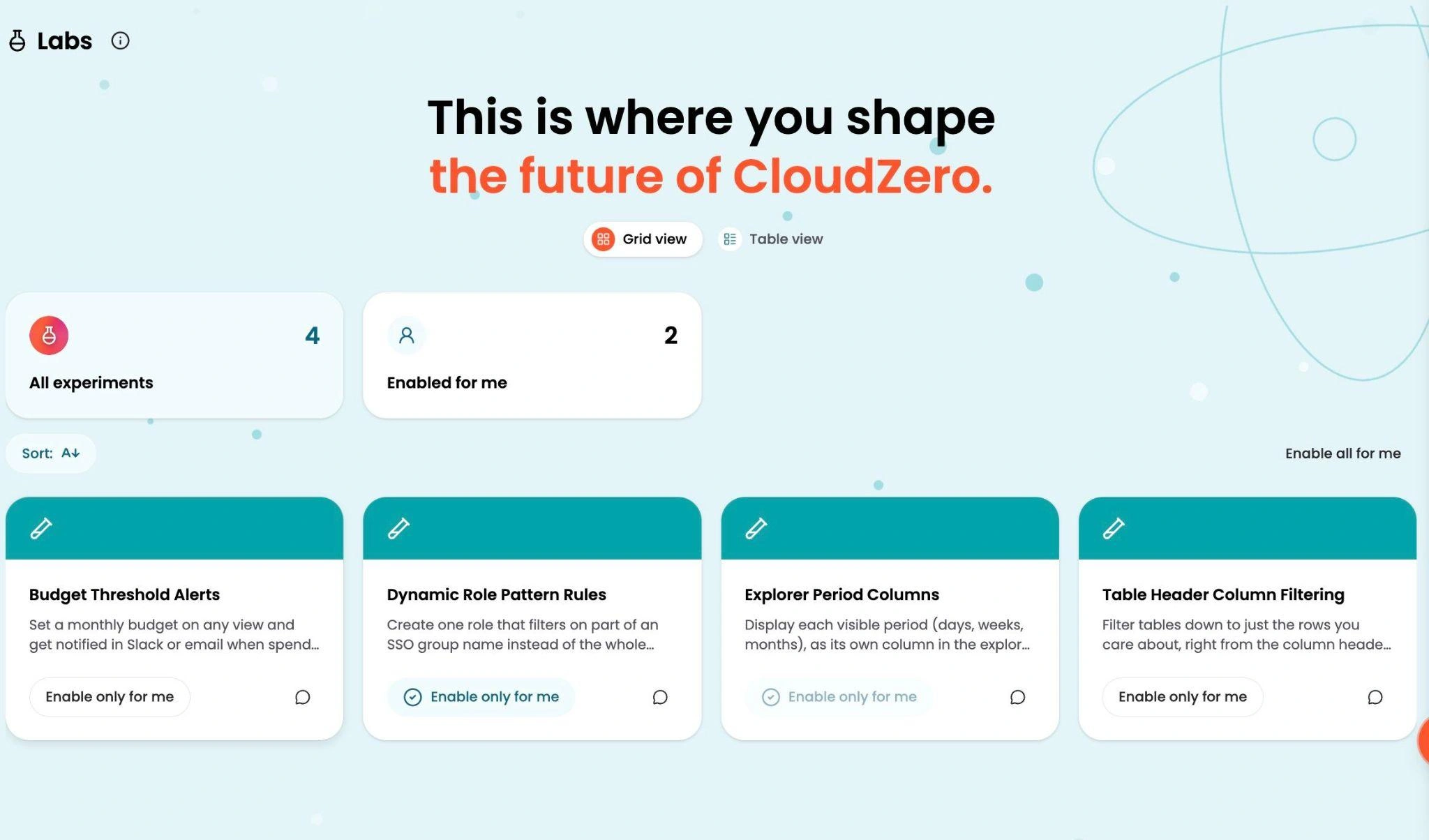
The redesigned Labs page has two formats: a card-based Grid and a sortable Table. Grid is the default, and you can switch between the two at any time. Both formats add search, sorting, and filters.
Filter tiles across the top of the page let you narrow to what’s enabled for your organization, what’s enabled for you, or browse everything available. You can see at a glance which experiments are active without opening each one.
Every experiment now has a feedback icon. One click opens a channel to tell us what you think, right from the page where you’re already trying the feature.
And yes, there’s an animated lab scene in the background. It’s a small thing, but it makes the page feel like somewhere you want to spend time.
How it works
Click your profile icon and choose Labs. Use a filter tile to see what’s on for your organization or for you, switch between Grid and Table view, and click the feedback icon on any experiment to send us your comments. Labs is available to every customer.
See it in the docs → docs.cloudzero.com/docs/labs