In 2018, attackers gained access to Tesla’s AWS cloud environment through an unprotected Kubernetes console (admin console). Because it lacked proper authentication, the hackers could see and control cluster resources. Once inside, they deployed new pods running cryptocurrency mining software, using Tesla’s compute power for profit.
During the breach, the attackers also uncovered credentials stored in the cluster. These gave them access to a Tesla S3 bucket, which contained mapping data and telemetry information from internal systems.
While Tesla confirmed that no customer data was exposed, the incident served as a wake-up call to the importance of Kubernetes security.
This article will cover Kubernetes security best practices, tools, and more.
What Is Kubernetes Security And Why Is It Important?
Kubernetes security encompasses the practices and settings that protect all resources within a cluster. A Kubernetes cluster consists of the control plane, nodes, pods, and the networking that integrates them.
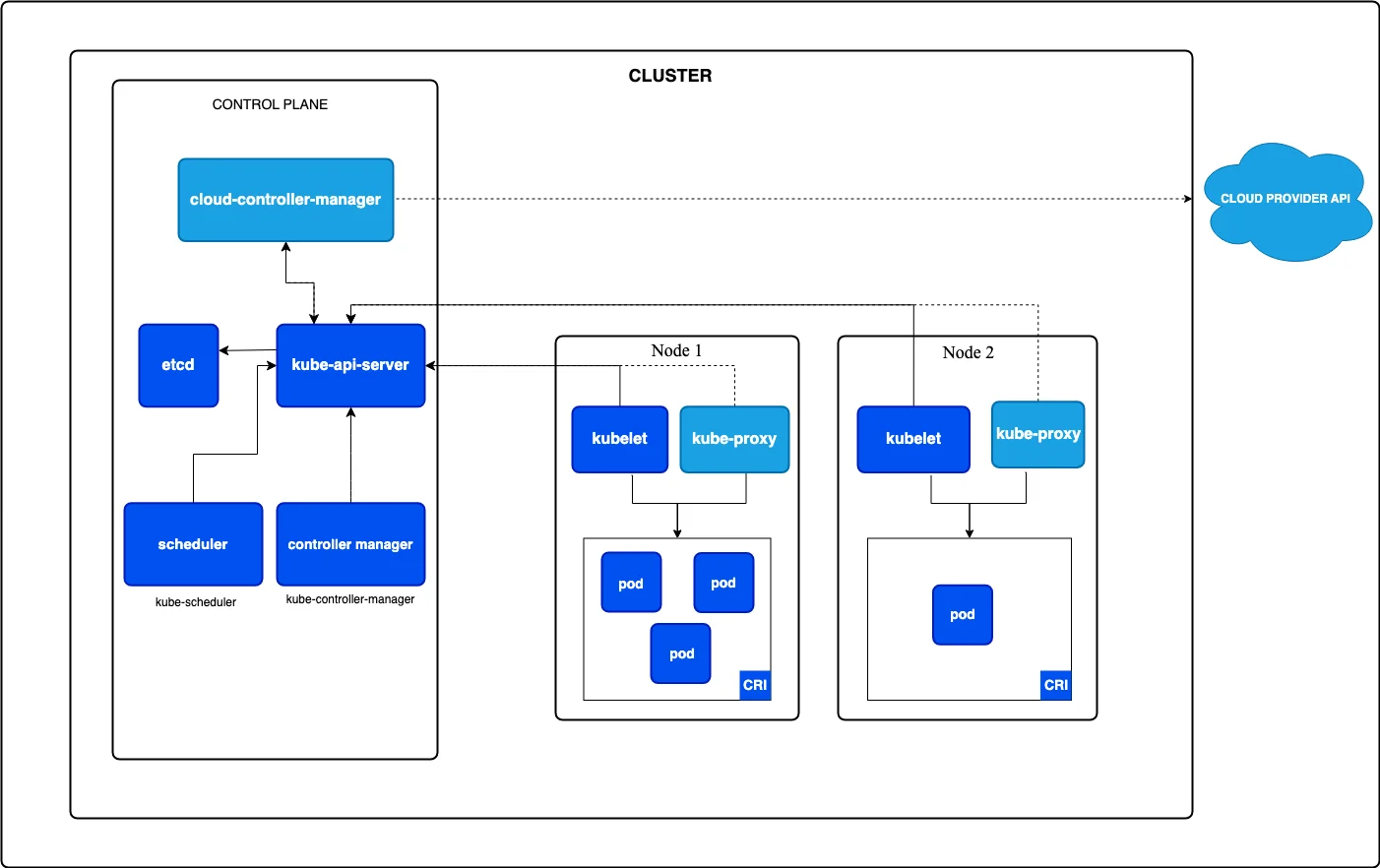
Kubernetes cluster components
Security here refers to ensuring that only authorized users and services can access these components, and that sensitive data is handled securely. It is not just one feature but a framework that applies across identity, workloads, networking, and storage.
A major part of Kubernetes security involves managing access. Kubernetes uses authentication to verify users or services, and Kubernetes RBAC (Role-Based Access Control) to decide what they are allowed to do. This prevents unnecessary privileges and prevents workloads from making risky changes.
Kubernetes also provides a Secret API for storing sensitive data, including passwords, tokens, and certificates. These secrets need to be encrypted and carefully restricted so they are not exposed inside pod specifications or configuration files.
Beyond access, Kubernetes offers guardrails for how workloads run. Network policies enable you to control which pods can communicate with each other, thereby blocking unwanted traffic within the cluster.
Pod Security Standards and admission controllers are key tools for Kubernetes hardening — they enforce rules about how containers operate, such as blocking privilege escalation or unsafe configurations. Audit logging provides a history of actions taken within the cluster, allowing teams to review activity and trace changes if something goes wrong. Together, these controls form the foundation of Kubernetes security.
Why Kubernetes security matters
Having robust Kubernetes security is nonnegotiable. Here’s why:
- Insecure clusters can be turned into crypto-mining platforms, as in the case of Tesla
- Security failures damage reputation. If your cluster is breached and data is leaked, clients lose confidence.
- Many industries require logs, access controls, data protection, and change history. Kubernetes security lets you meet those obligations.
- Containers often include external libraries. Without security, vulnerabilities in images or dependencies can be exploited to compromise your pods.
- Kubernetes is highly dynamic — pods scale, services shift. Without strong security that keeps pace, new vulnerabilities emerge, providing attackers with more opportunities to strike. Learn more about Kubernetes autoscaling here.
Now here is the thing. Even though Kubernetes has built-in security features (RBAC, network policies, etc.), in practice, those native tools aren’t enough by themselves to fully secure a production environment.
Why?
2026 State of AI Spend Report
Why Finance Caps What It Can’t See
Learn how finance leaders are managing AI spend, and how they’re approaching FY2027
Why Native Kubernetes Security Often Falls Short, And The Benefits Of Third-Party Tools
In reality, Kubernetes is complex, and misconfigurations are one of the biggest risks to its operation. A small mistake in a YAML file or an overly broad role can leave the whole cluster exposed.
Another challenge is visibility. Kubernetes gives you raw logs and events, but it doesn’t always tell you which ones matter or pose the highest risk. Third-party tools add that missing context — for example, spotting unusual pod behavior or alerting you if secrets are exposed.
This helps teams cut through noise and focus on real threats.
Native Kubernetes security also stops at the cluster boundary. It doesn’t provide robust protection for container images, runtime activity inside pods, or consistent policies across multiple clusters. Third-party platforms step in here by scanning images for vulnerabilities, monitoring live workloads, and enforcing the same security rules across every environment.
Note: When Kubernetes runs in managed services such as AWS EKS, Azure AKS, or Google GKE, the provider manages and secures the control plane components as part of their managed Kubernetes offerings. Users do not get direct access to the control plane.
But, you are still responsible for what runs inside the cluster, unless you’re using Fargate or GKE Autopilot, where node management is also abstracted. That’s where gaps appear, because Kubernetes’ native tools are powerful but hard to manage at scale.
What To Look For In A Kubernetes Security Platform
Here are the major features your choice of Kubernetes security tool should have:
- Image and file scanning. Scan container images, Helm charts, and IaC files for vulnerabilities before deployments.
- Runtime monitoring. Monitor pods and containers in real time for abnormal activity.
- Policy enforcement. Integrate with Kubernetes admission controllers to enforce rules (e.g., no privileged pods, no root users).
- Supply chain visibility (SBOMs). It should show what’s inside each image and track risks in open-source dependencies.
- CI/CD integration. It must plug into build pipelines so that insecure workloads are blocked before they reach production.
- Multi-cluster/multi-cloud support. Enforce policies consistently across hybrid and multi-cloud Kubernetes environments.
- Compliance reporting. Provide audit-ready checks for standards such as PCI, HIPAA, and SOC2.
Top Kubernetes Security Tools
These tools go beyond what Kubernetes provides out of the box. For a broader view, see our full roundup of Kubernetes tools.
1. Red Hat Advanced Cluster Security (RHACS)
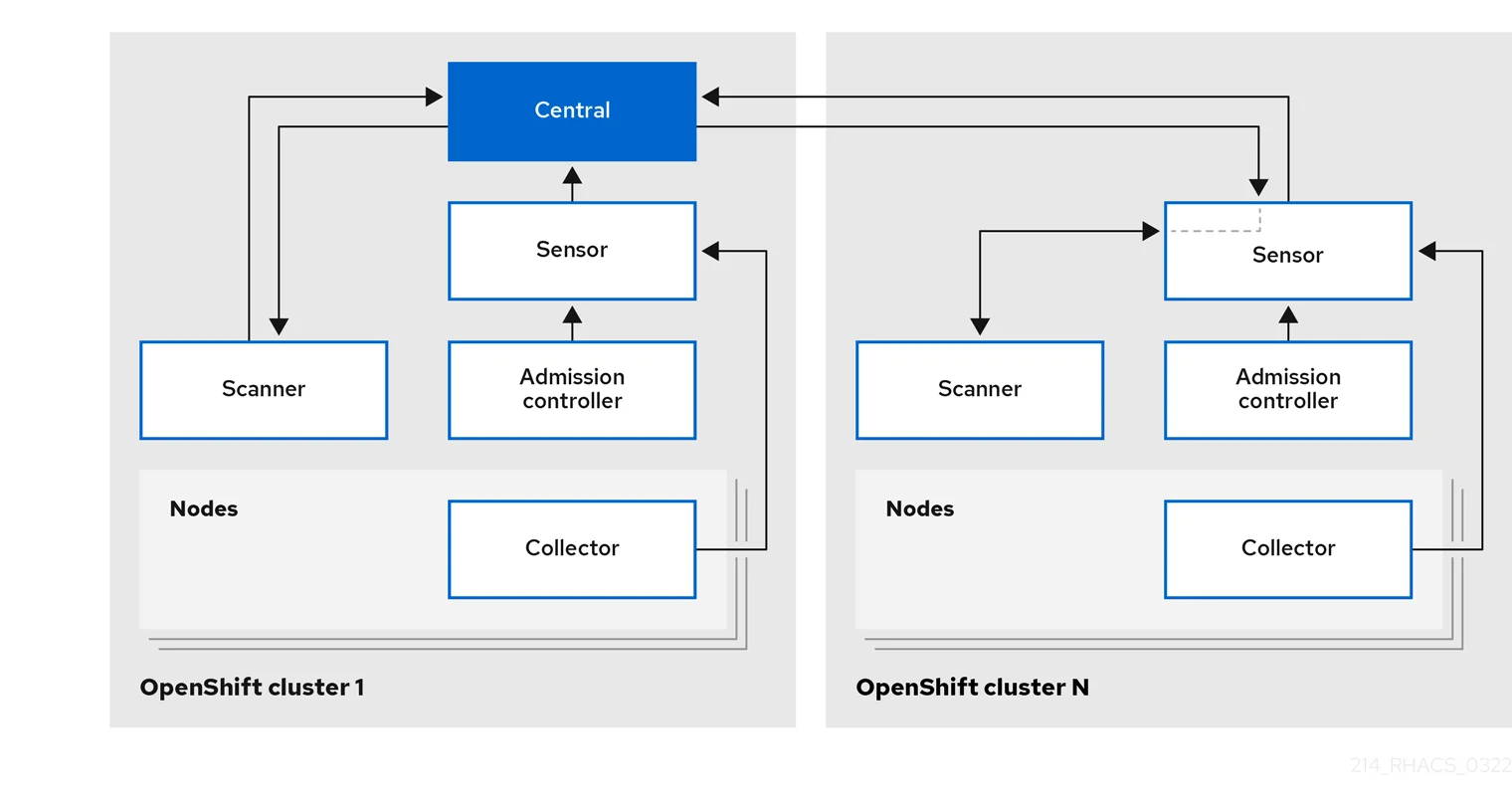
RHACS is Red Hat’s main Kubernetes security platform, integrating with OpenShift and other Kubernetes environments.
It scans images and configurations before deployment, enforces security policies as workloads are admitted, and then monitors clusters at runtime.
RHACS also connects the dots between risks in images, deployments, and runtime behavior. You don’t just see a list of vulnerabilities — you see how they affect active workloads and whether they break compliance standards.
2. SentinelOne
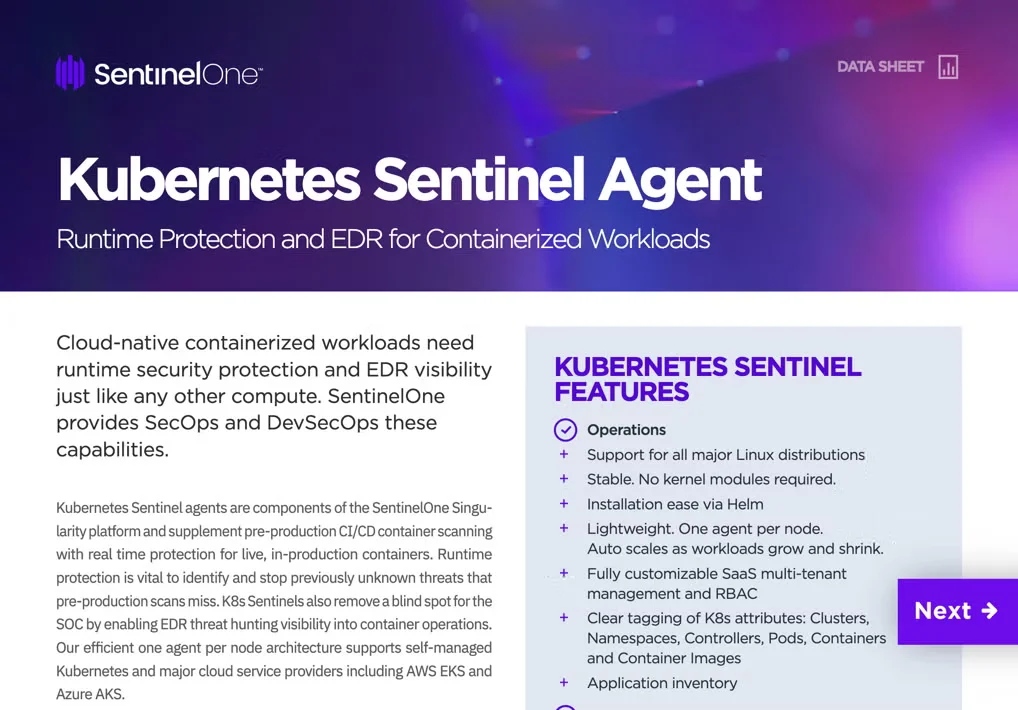
SentinelOne deploys a lightweight Sentinel agent on each Kubernetes node as a DaemonSet. This agent does protection at runtime and works without needing kernel modules, meaning it runs at the user level, which reduces complexity and the risk of kernel-level instability.
SentinelOne also supports managed Kubernetes services (EKS, AKS, GKE) as well as self-managed clusters.
3. Prisma Cloud
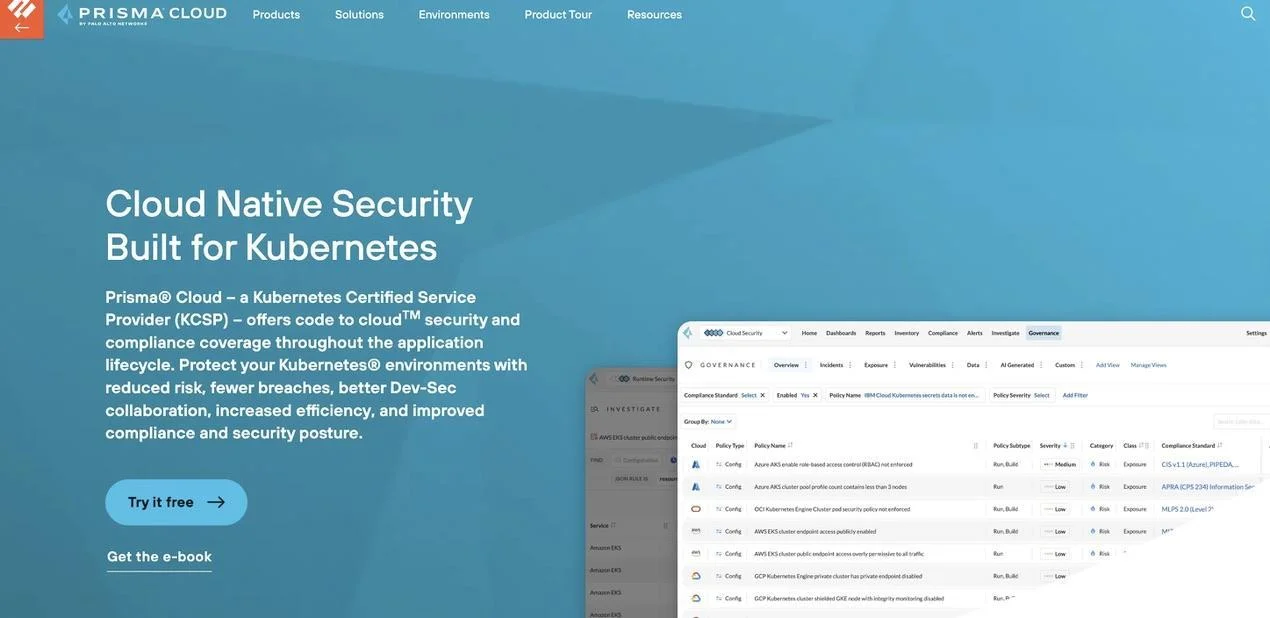
Prisma Cloud is Palo Alto Networks’ platform for cloud-native security. It covers container security, serverless, and broader infrastructure in one place.
For Kubernetes, it protects workloads from build to runtime, ensuring clusters remain secure across any cloud environment.
At build time, it uses its Defender agents and the twistcli tool to block unsafe images and enforce security rules automatically.
It also integrates Kubernetes audit logs, giving visibility into who did what in the cluster.
4. Aqua Security
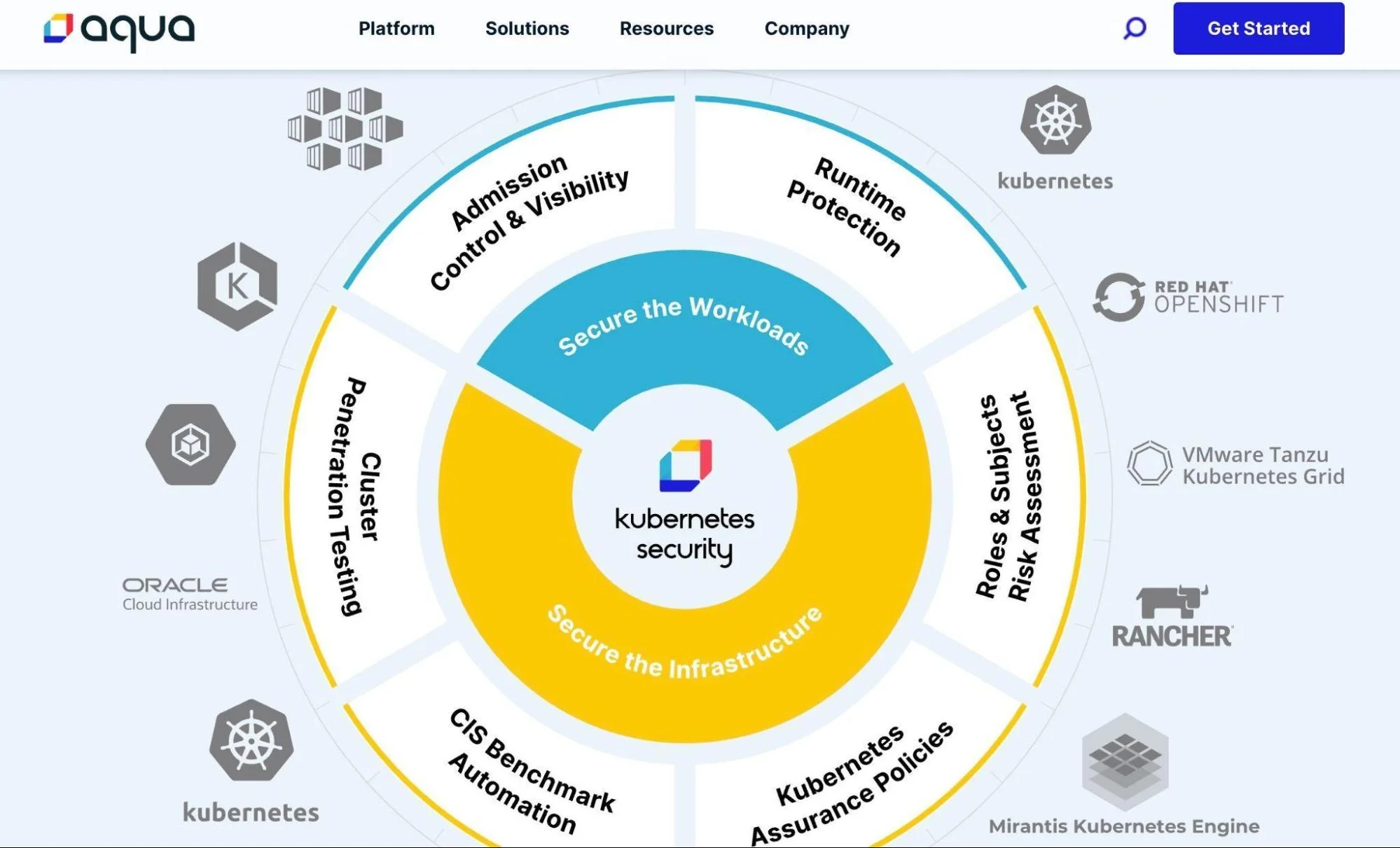
Aqua Security offers a suite of K8 security tools that cover vulnerabilities, misconfigurations, and compliance. Alongside its enterprise platform, Aqua also maintains open-source projects that are widely used across the DevOps and cloud-native community. These include:
- Trivy: An open-source scanner that finds vulnerabilities in container images, Kubernetes configs, Helm charts, and even code repositories. It also generates SBOMs to improve supply chain visibility.
- Kube-Bench: Tests Kubernetes clusters against CIS security benchmarks. It flags misconfigurations and guides to align clusters with best practices.
- Kube-Hunter: Probes Kubernetes clusters for weaknesses, such as open dashboards or exposed ports, simulating how an attacker might find entry points.
5. Microsoft Defender for Cloud
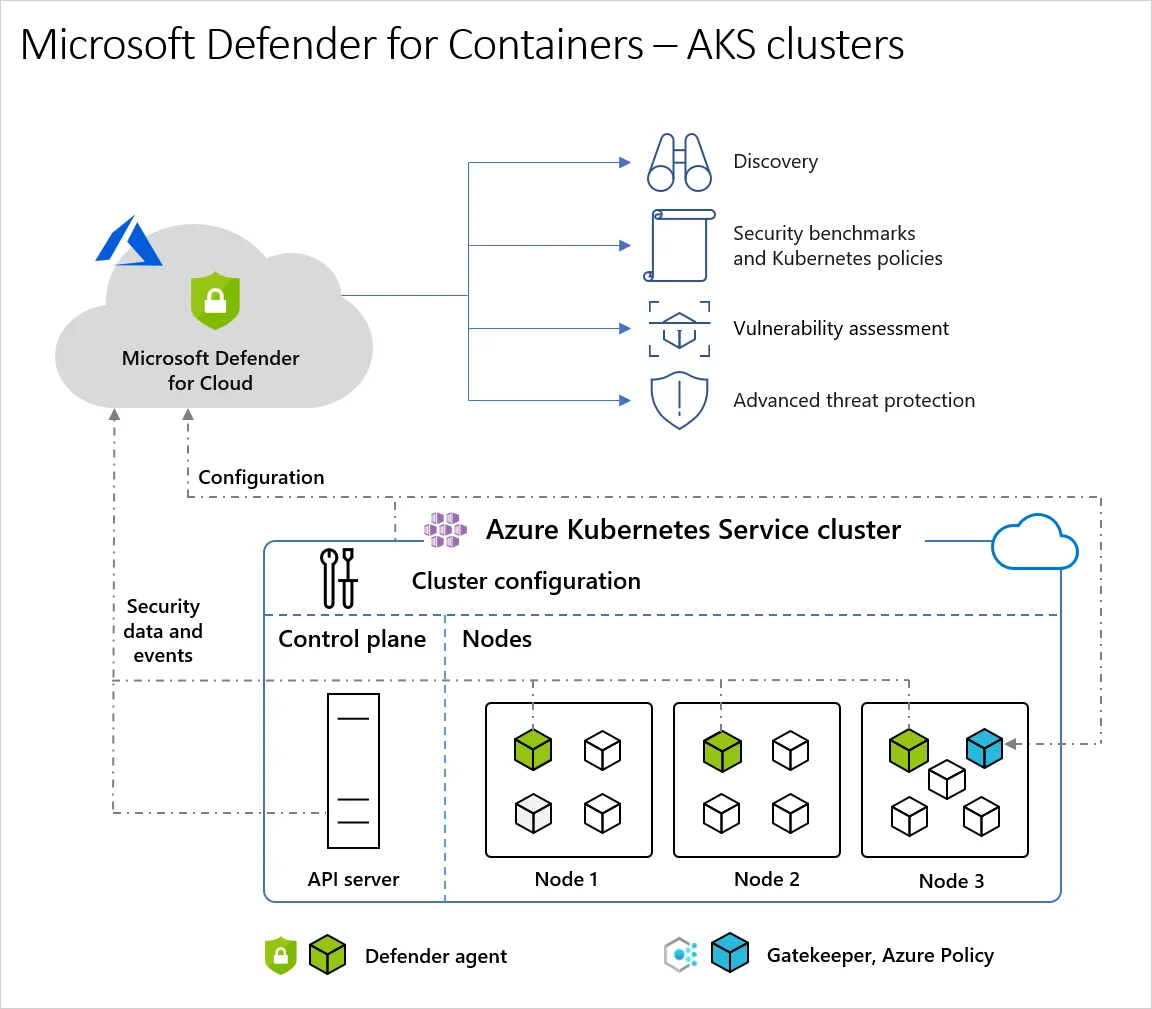
Defender for Cloud offers built-in protection for containers and Kubernetes environments (including AKS and non-Azure clusters). It monitors your clusters, nodes, workloads, and container registries.
It provides security posture management by discovering misconfigurations, offering hardening recommendations, and giving you an inventory of your Kubernetes resources. At runtime, it detects threats using a set of sensors and agentless methods.
6. Wiz
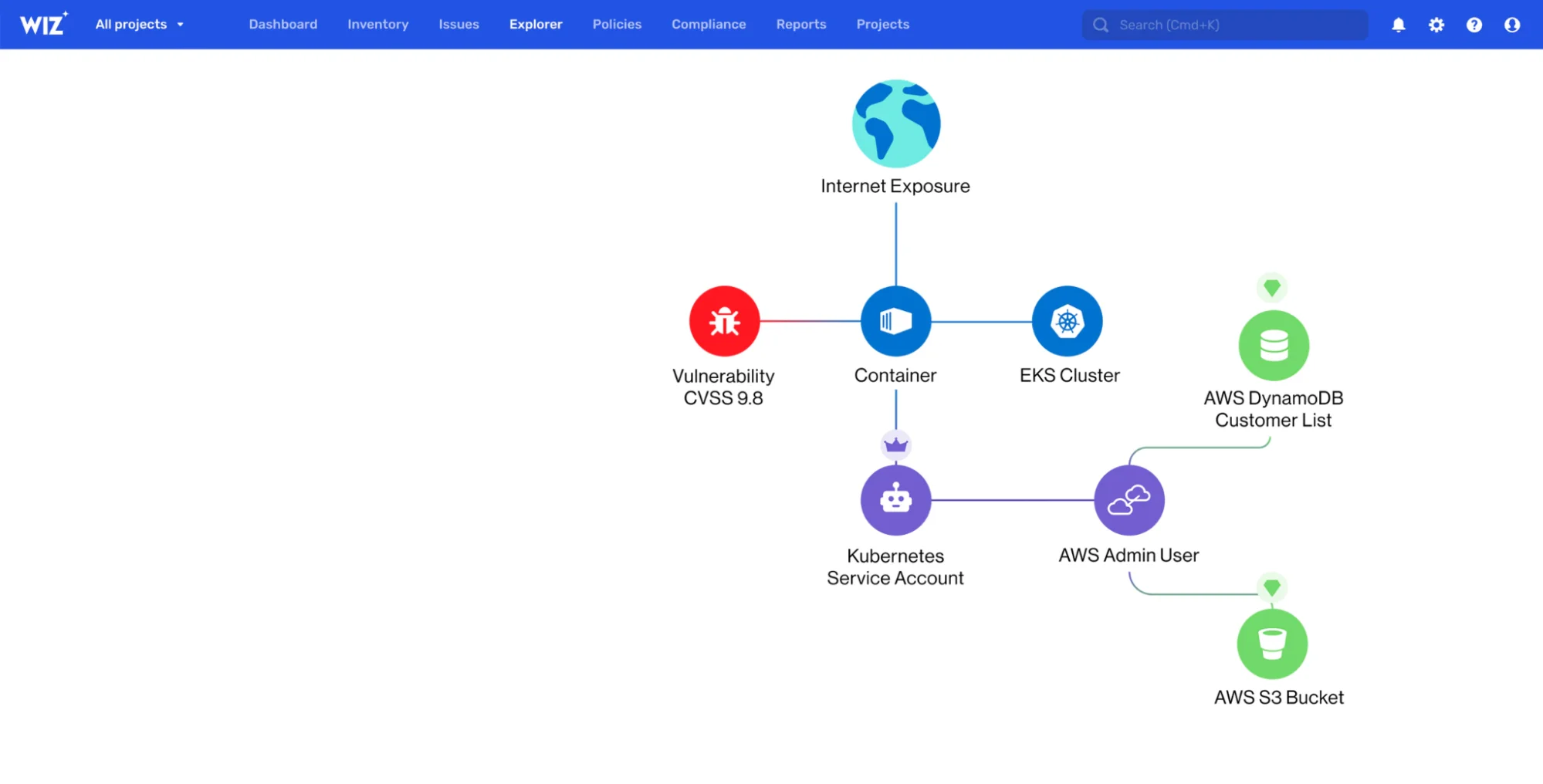
Wiz uses a graph-based risk engine (Security Graph) that correlates data from containers, hosts, cloud APIs, and Kubernetes APIs. This helps teams see which risks form “attack paths” — not just isolated issues.
It also includes Kubernetes Security Posture Management (KSPM), which continuously scans clusters for misconfigurations and compliance gaps.
Wiz is also built as an agentless-first solution, analyzing environments through cloud APIs and snapshots. This enables coverage of short-lived resources or clusters where deploying agents is complex.
What next?
The Hidden Cost Of Kubernetes Security — And How CloudZero Brings Clarity
When you enable security tools for Kubernetes on cloud providers, those tools themselves run inside your cloud environment. This means you pay for their compute, storage, and networking. A security agent running on every node (DaemonSet), storing logs, sending telemetry to a dashboard — all that uses CPU, memory, disk, and network. The cloud provider bills you for those resources just like any other workload.
For example, Microsoft Defender for Containers is priced based on vCores allocated to the container host. Even if pods aren’t running, you’re charged according to the cores of the host machine. Azure also offers a cost calculator to estimate this investment.
On AWS, EKS clusters themselves carry baseline costs: each cluster has a control-plane fee plus the underlying EC2 instance costs for worker nodes. Then, if security tools deploy agents or controllers, those run on those instances as additional CPU/memory load.
In short, cloud costs don’t just come from your applications. Enabling and operating Kubernetes security tools also adds to your cloud bill.
You need to monitor and optimize both the application and security workload costs together— which is where Kubernetes cost optimization practices come in.
And that’s where CloudZero comes in.
CloudZero gives granular cost visibility across your cloud infrastructure, including security tools and Kubernetes workloads — learn more about Kubernetes cost monitoring with CloudZero. It collects and allocates spend data to dimensions such as clusters, features, teams, or pods — even without perfect tags.
This means you can see exactly how much your security agents, log pipelines, or admission controllers are adding to your bill.
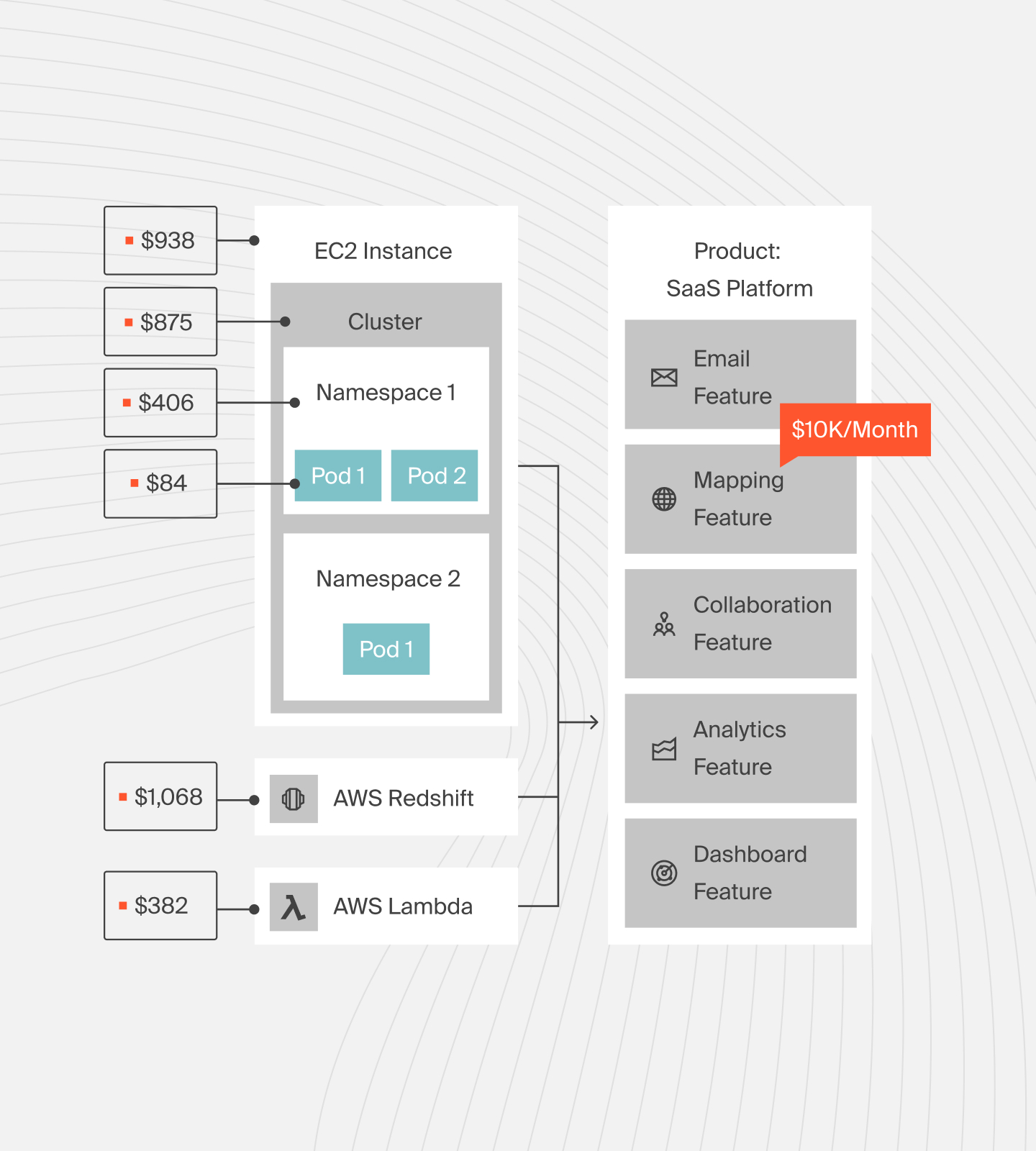
When security and observability tools run (scanning, monitoring, profiling), CloudZero tracks their costs in real time. It surfaces anomalies, for example, a sudden spike in log ingestion or scan compute — so you catch runaway spending before it impacts innovation.
CloudZero also maps cost back to business impact. Say you have multiple microservices or teams running Kubernetes; CloudZero can attribute security/tool costs to each service or team.
That way, engineers can determine if the security benefit is worth the cost increase or where optimizations make sense.
CloudZero manages over $14B in cloud spend for customers worldwide. Companies see ROI in as little as 14 days — you can too.  and experience CloudZero for yourself.