If you provide services such as live streaming, social media networking, and analytics, you need a robust platform to speed up your read/write operations per second. Caching reduces latency by storing frequently accessed objects in faster memory (RAM or in-memory data stores instead of slower disk-based storage).
Amazon ElastiCache is a managed, in-memory data store and caching service in one. It helps you configure, coordinate, and optimize caching processes for distributed workloads using Valkey, Redis OSS, or Memcached caching engines.
ElastiCache doesn’t just speed up your operations. It also saves you the time and money to set up and optimize your own caching system from scratch. Is ElastiCache pricing worth it — and how much does Amazon ElastiCache cost, really?
ElastiCache Pricing Model Explained
ElastiCache charges on a pay-as-you-go basis. This means you:
- Only pay for the capacity you use.
- You do not need to pay anything upfront.
- You won’t be required to sign any long-term contracts if you choose not to.
However, AWS offers ElastiCache at a fixed price for one or three years. Here’s how ElastiCache pricing works in more detail.
Report
Finance needs to prove AI’s return: CloudZero report
260 senior finance leaders (more than half CFOs) told us why the speed of seeing AI spend, not the size of it, separates who pulls ahead on AI from who gets burned.
How Does Amazon ElastiCache Pricing Work?
ElastiCache offers two deployment models: node-based clusters (traditional) and ElastiCache Serverless (pay-per-use). Each has distinct billing mechanics.
Node-Based Cluster Pricing
ElastiCache node-based clusters run on Nodes, which are Amazon EC2 instances using customized software and prefixed with “cache.” ElastiCache charges hourly based on the number of nodes, the type of node, and the pricing model you choose.
You may use nodes individually or in a cluster, depending on your needs. With ElastiCache, you can pair every primary node with a caching node. The more nodes you replicate, the more you’ll have to invest.
One detail that catches many teams off guard: ElastiCache reserves roughly 25% of each node’s advertised memory for internal overhead (OS, replication buffers, connection handling). A node with 26 GiB of spec memory gives you about 19.7 GiB of usable keyspace. Factor this into your sizing calculations to avoid underprovisioning.
Pricing for ElastiCache is either on-demand or reserved.
- ElastiCache’s on-demand pricing lets you pay only for the resources and capacity your ElastiCache On-Demand Nodes use per hour. No upfront payments are necessary, and no contracts or long-term commitments are required.
- ElastiCache reserved pricing enables you to make a small, once-off advance payment for each node you want to reserve for one or three years. Each node you reserve receives a substantial discount off the standard hourly rate.
ElastiCache on-demand nodes allow you to manage your nodes as needed to meet your workload requirements. This ElastiCache billing method makes sense if you are just getting started with a workload or the service and are unsure how much power to reserve.
But that flexibility makes on-demand nodes more expensive per hour than ElastiCache Reserved nodes.
ElastiCache nodes tend to be on for longer intervals, and steady-state workloads benefit significantly from commitment-based discounts. Reserved Instances may make sense if you need consistent ElastiCache node performance over time for predictable consumption.
But there’s something else.
Current-generation ElastiCache node types deliver higher memory and computing power and cost more than previous-generation node types. In other words, the type of node you choose will greatly impact your ElastiCache costs.
ElastiCache Serverless Pricing
ElastiCache Serverless removes the need for capacity planning entirely. Instead of provisioning nodes, you pay based on two dimensions: data stored (measured in GB-hours) and compute consumed (measured in ElastiCache Processing Units, or ECPUs).
Each kilobyte of data transferred in a request consumes 1 ECPU. For example, a GET command returning 3.2 KB of data uses 3.2 ECPUs. Complex commands like SORT or ZADD consume proportionally more ECPUs based on vCPU time.
For a cache holding 10 GB of data with 50,000 requests per second, expect roughly $0.84/hr in storage and $0.41/hr in ECPUs — about $900/month total. Serverless works particularly well for spiky or unpredictable workloads where provisioned nodes would sit idle much of the day.
Note that Reserved Nodes are not available for Serverless deployments. However, AWS Database Savings Plans (launched December 2025) can reduce Serverless costs by up to 30%.
Valkey: The Lower-Cost Engine Option
Since October 2024, AWS has offered Valkey as a caching engine alongside Redis OSS and Memcached. Valkey is an open-source, Redis-compatible fork maintained by the Linux Foundation, and it comes with meaningful pricing advantages.
Valkey is 20% cheaper than Redis OSS for node-based clusters and 33% cheaper for Serverless deployments. It also has a significantly lower Serverless minimum — 100 MB/hr (about $6/month) versus 1 GB/hr for Redis OSS (about $60/month). For teams running multiple staging or dev environments, that 10x minimum difference adds up quickly.
Valkey is fully API-compatible with Redis OSS, and AWS supports zero-downtime in-place upgrades for existing Redis OSS clusters. Existing Reserved Nodes carry over automatically after the upgrade. For new deployments, Valkey is the recommended default engine.
If you are unsure which ElastiCache nodes to use, check out CloudZero Advisor. CloudZero Advisor recommends the best ElastiCache node types for your specific workload based on factors like pricing, cache instance, node size, AWS region, and more.
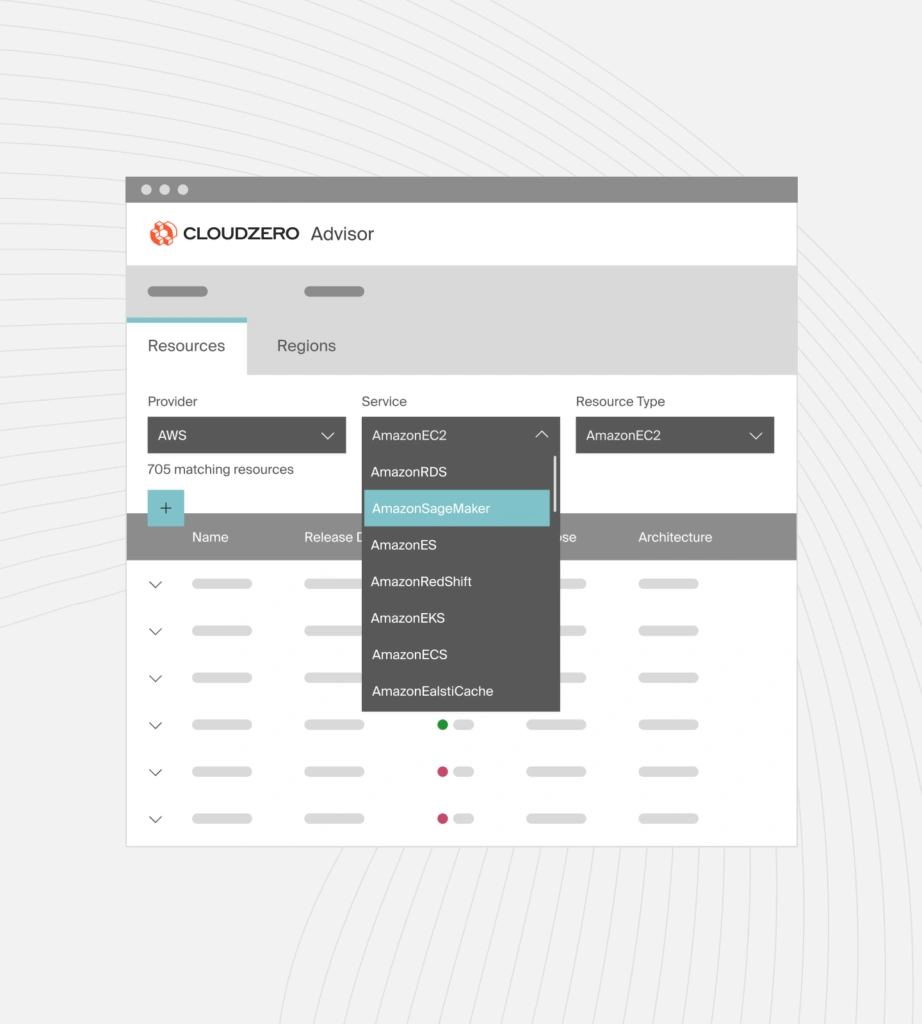
Use CloudZero Advisor to choose the right ElastiCache node types for your needs.
Now, how much do Amazon ElastiCache nodes cost?
How Much Do Different ElastiCache Node Types Cost?
Several factors determine the price of Amazon ElastiCache nodes, including:
- Cache node type (On-demand or reserved nodes and whether they run atop General or Memory-Optimized Amazon EC2 instances)
- Cache node size (micro, small, medium, large, Xlarge, 2XLarge, 4XLarge, 8XLarge, 12XLarge, 16XLarge, and 24XLarge)
- Cache engine (Valkey, Redis OSS, or Memcached — Valkey offers the lowest per-node cost)
- Compute resources used (virtual CPU (vCPU), RAM memory, and network bandwidth)
- AWS Region
- Backup storage costs
- Costs of transferring data within or across AWS regions
- Costs associated with using AWS Outposts on-premises
Let’s dig into these factors some more to understand how ElastiCache pricing works.
ElastiCache on-demand node pricing
You pay for on-demand nodes’ memory capacity per hour. Each partial hour of usage counts as a full hour, too. You do not need any prior planning or provisioning to use these nodes. The on-demand billing method is ideal if your workloads are variable or inconsistent or if you are just starting a new workload type and are unsure how much power it will require.
Billing for on-demand nodes starts from the time you launch a node until you terminate it.
From the US East North Virginia region, here are examples of prices for mid-size, current-generation, and General Purpose ElastiCache on-demand nodes per hour:
|
General Purpose Cache node type |
vCPU |
RAM (Memory) |
Network bandwidth |
Price (Valkey) |
|
cache.t3.medium |
2 |
3.09GiB |
Up to 5Gbps |
$0.068/hour |
|
cache.t4g.medium |
2 |
3.09GiB |
Up to 5Gbps |
$0.065/hour |
|
cache.m5.large |
2 |
6.38GiB |
Up to 10Gbps |
$0.156/hour |
|
cache.m6g.large |
2 |
6.38GiB |
Up to 10Gbps |
$0.149/hour |
|
cache.m7g.large |
2 |
6.38GiB |
Up to 10Gbps |
$0.143/hour |
Notice how the latest ElastiCache node types offer better price performance over earlier-generation node types.
That pattern continues when choosing the right memory-optimized ElastiCache node types for your workload:
|
Memory-optimized Cache node type |
vCPU |
RAM (Memory) |
Network bandwidth |
Price (Valkey) |
|
cache.r5.large |
2 |
13.07GiB |
Up to 10Gbps |
$0.216/hour |
|
cache.r6g.large |
2 |
13.07GiB |
Up to 10Gbps |
$0.206/hour |
|
cache.r7g.large |
2 |
13.07GiB |
Up to 10Gbps |
$0.196/hour |
Current-generation, Graviton-powered cache node types deliver higher price performance at lower cost. Default to M7g or R7g families for new deployments.
ElastiCache reserved nodes pricing
Unlike on-demand nodes, reserved nodes require prior planning to provision the most optimal capacity for your workloads over one or three years. Committing gets discounts of up to 55% (three years, all upfront) or up to 48% (one year, no upfront) off on-demand node pricing. Here is a complete guide on how Reserved Instances work across AWS services.
You convert nodes to reserved nodes by calling the purchasing API or using the reserved node option in your AWS console. During the purchase, you must specify a region, a node type, a payment term, and the number of nodes you intend to reserve. As soon as you select a region, AWS limits the use of reserved nodes in any other region except the one you have designated.
Also, ElastiCache reserved nodes offer three payment plans:
- All upfront (pay 100% in advance to get the highest discount per node per hour)
- Partial upfront (pay monthly for a significant discount)
- No upfront (enjoy up to 48% off on-demand node pricing with no upfront payment)
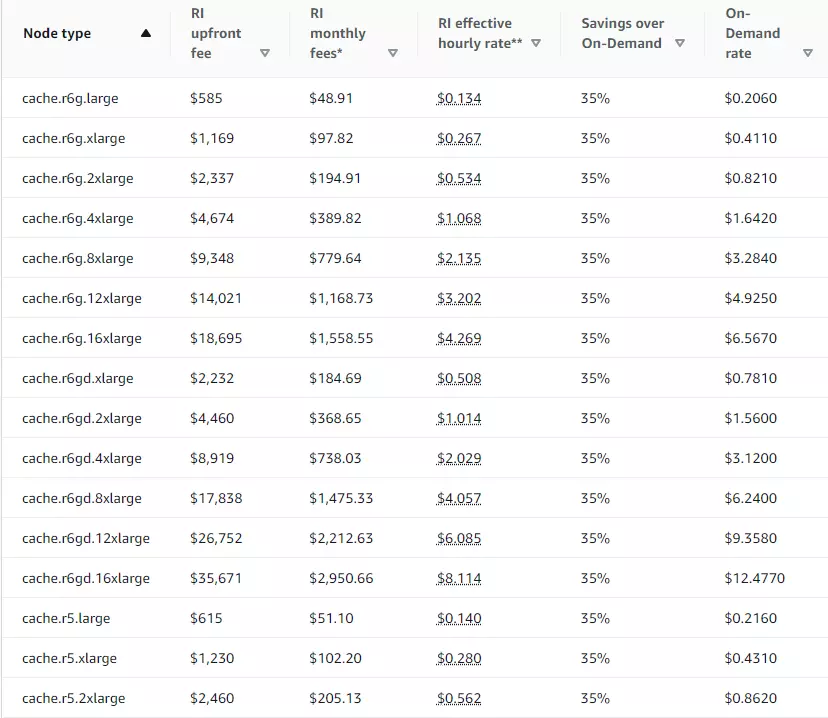
This image illustrates the savings you can achieve by using Amazon ElastiCache reservation pricing in the US East (Ohio) region, one-year term, partial upfront payment plan, and using memory-optimized nodes:
Here’s what you get if you choose to pay all upfront over three years but with similar Amazon ElastiCache’s reserved node types:
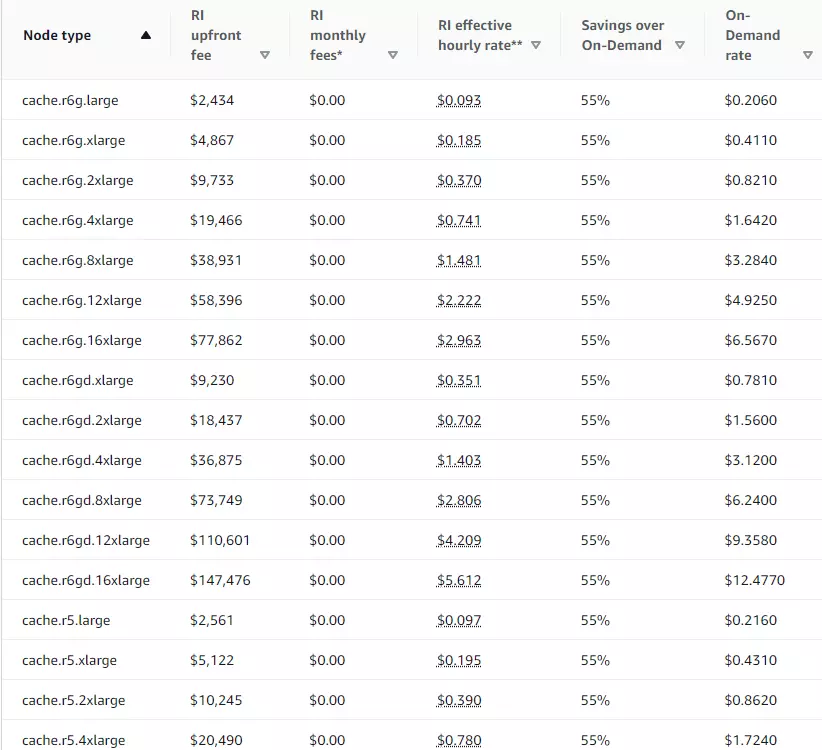
Your Amazon ElastiCache instance type clearly affects your monthly ElastiCache bill.
Database Savings Plans
Launched in December 2025, AWS Database Savings Plans offer an alternative to Reserved Nodes. Instead of committing to specific instance types, you commit to a dollar-per-hour spend rate. AWS applies the discount automatically across eligible database services — including ElastiCache for Valkey, Aurora, RDS, and DynamoDB.
Database Savings Plans offer up to 20% off for node-based instances and up to 30% off for Serverless. While the maximum discount is lower than Reserved Nodes (35% vs. 55%), the flexibility is significantly higher. Importantly, Database Savings Plans are the only discount option for ElastiCache Serverless workloads.
Extended Support Charges: A 2026 Cost Alert
If you are still running ElastiCache clusters on Redis OSS v4 or v5, be aware of Extended Support charges. Standard support for these versions ended January 31, 2026. Clusters still running them automatically enrolled in Extended Support on February 1, 2026, which adds an 80% premium on top of normal on-demand node rates in years 1-2 — rising to 160% in year 3.
For a minimal HA cluster of 3 nodes using cache.m5.large, that translates to roughly $3,279/year in added costs. The fix is straightforward: upgrade to Valkey (recommended) or Redis OSS v6+ via an in-place, zero-downtime upgrade. Existing Reserved Nodes carry over automatically.
Other Factors That Affect Amazon ElastiCache Costs
Data tiering, backup storage, and data transfers within and outside ElastiCache also affect your Amazon ElastiCache spending. Here’s a quick look at how.
Data tiering pricing in ElastiCache
With ElastiCache clusters that tier data, objects with low usage frequency are automatically moved from memory to SSDs to optimize costs.
Although SSDs store more data than memories, their latency and throughput are higher.
The ElastiCache for Redis data tiering feature is suitable for workloads that frequently access up to 20% of their data and for workloads that can tolerate longer latency when requesting less frequently accessed objects.
Again, you’ll notice that the latest-generation ElastiCache node types provide better price performance here.
For example, using R6gd nodes with memory and solid state drives provides almost 5X more overall storage capacity (and 60% cost savings when running at full utilization) over ElastiCache R6g nodes with only memory.
ElastiCache costs for backup storage
Backup storage in AWS refers to storage for snapshots created automatically or manually (user-initiated).
Backup storage is available with ElastiCache for Valkey and Redis OSS (not Memcached). Each active cluster stores one snapshot for free. Additional backup space costs $0.085 per GB per month, regardless of your location.
It is free to transfer data to create and restore snapshots.
ElastiCache data transfer costs
If you transfer data to and from Amazon EC2 within a single AWS Availability Zone (AZ), Amazon ElastiCache won’t charge you.
You pay only for data transfer in/out of an Amazon EC2 instance, not in/out of a particular Amazon ElastiCache node. It costs $0.01 per GB in/out between different Availability Zones of the same AWS Region.
In a typical multi-AZ deployment, 50-66% of your read and write traffic crosses AZ boundaries. At high throughput, this can add hundreds of dollars per month in charges that never appear in pricing calculators. Co-locating your EC2 application instances in the same AZ as ElastiCache nodes is the most effective mitigation.
Also, the AWS Free Tier provides new customers with credits (up to $200 when activating foundational AWS services) that apply to all ElastiCache features including Serverless. GovCloud and China Regions are excluded.
For data transfers across several AWS regions, Amazon ElastiCache for Redis provides Global Datastore, which optimizes cross-region data replication. Different charges apply for data transfers from the primary region (or source). Currently, Global Datastore is available with M5, R5, R6g, R6gd, M6g, M7g, and R7g nodes, which are not eligible for the Free Tier.
This guide breaks down AWS data transfer costs in detail.
ElastiCache pricing for AWS outposts
AWS Outposts provides local access to fully managed AWS infrastructure. With AWS Outposts, you can build and run workloads on-premises using the same APIs as in AWS Regions but using local compute and storage capacity to achieve low latency.
For now, ElastiCache for Outposts only supports the M5 and R5 node families, and their pricing applies differently.
How To Understand, Reduce, And Optimize Amazon ElastiCache Costs
As you can see, the billing process for Amazon ElastiCache is complicated. It may not always be easy to translate this knowledge into reducing your ElastiCache costs immediately. We get it, and you are not alone.
Let’s take it one step at a time. First, you’ll want to determine which ElastiCache instance type is best for your application. With a tool like CloudZero Advisor, you can see recommendations based on pricing, caching node size, AWS Region, and caching instance type.
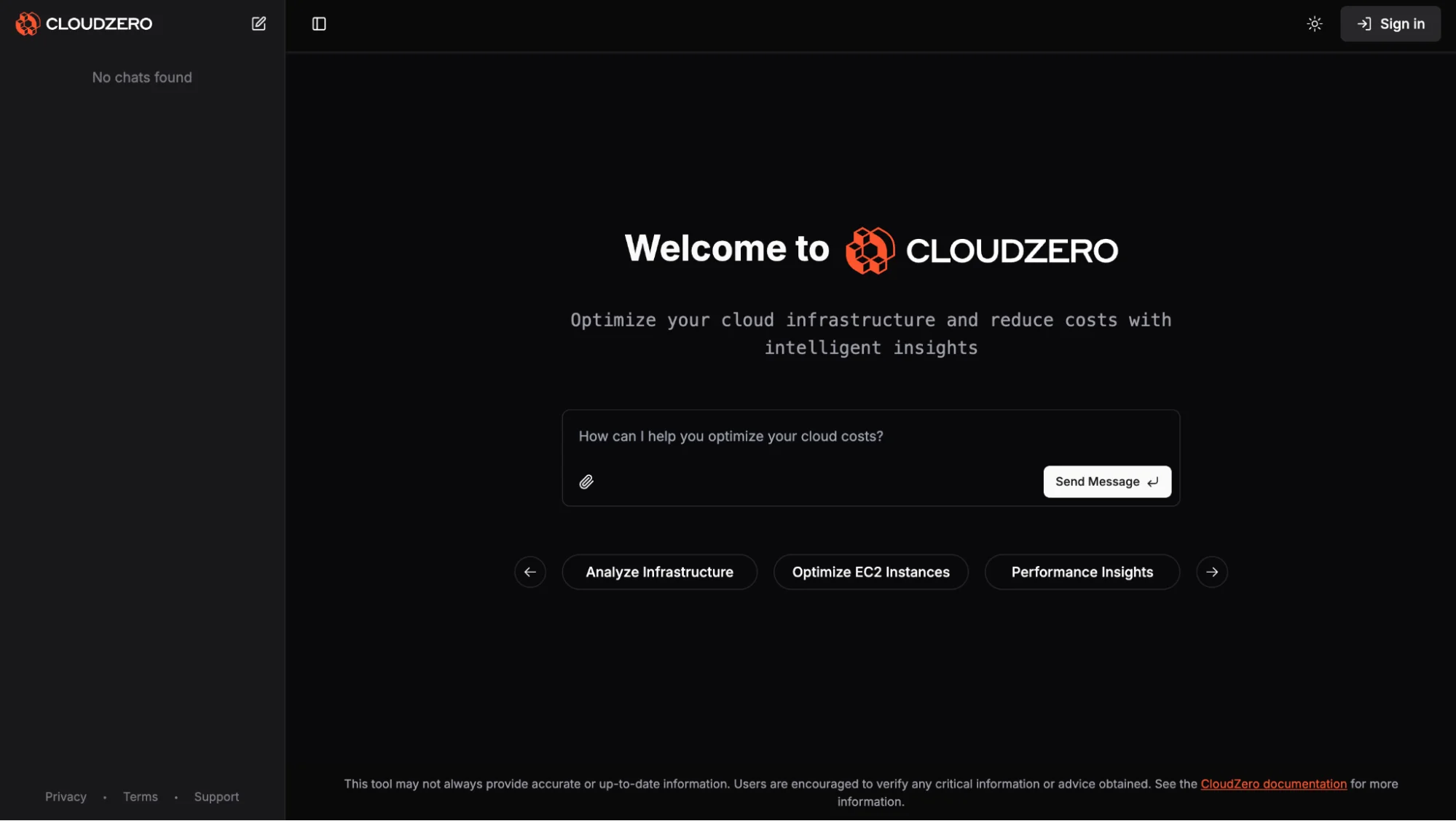
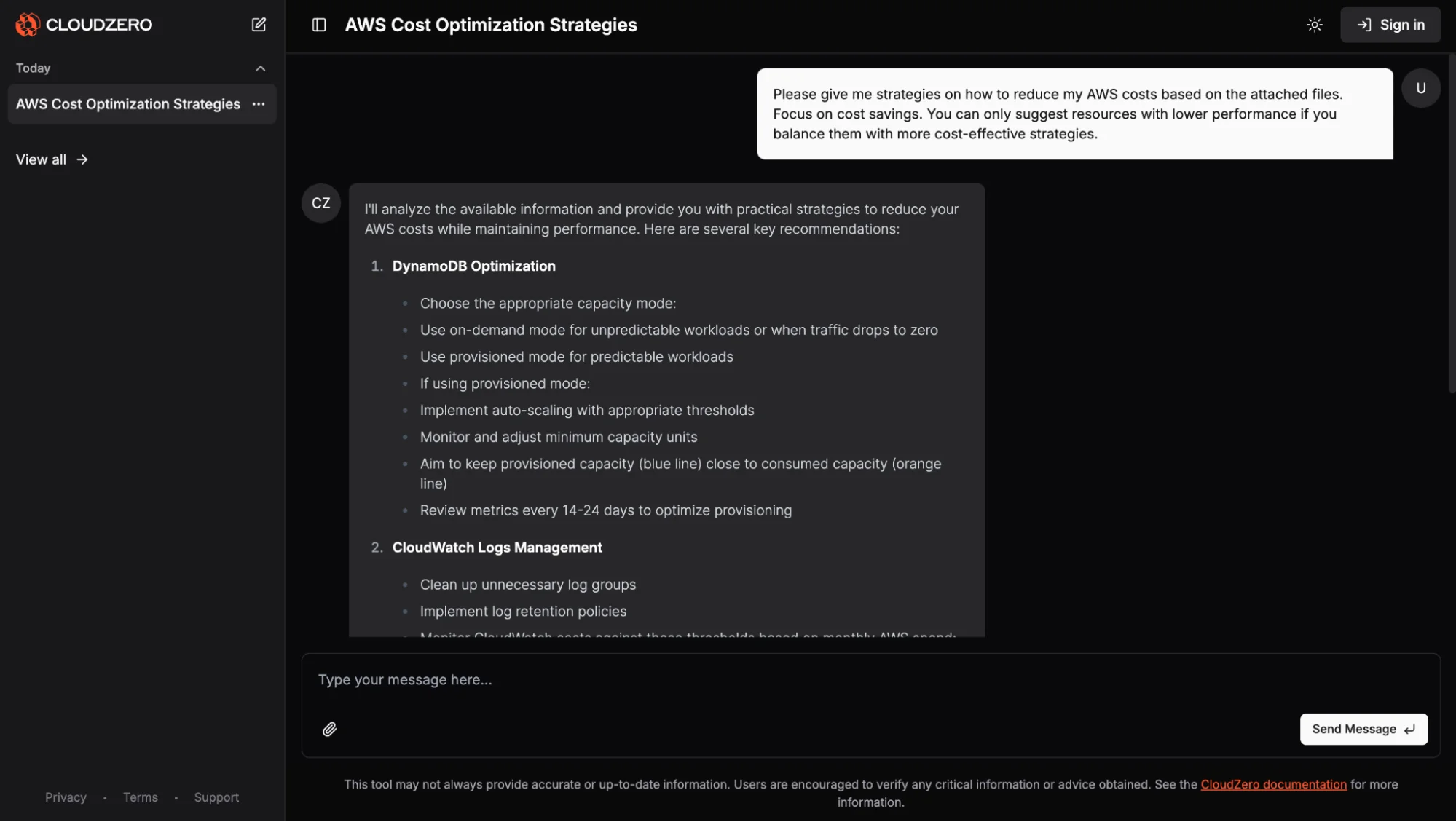
Next, deploy your ElastiCache node types and track your costs from the start with CloudZero. Unlike most cost management tools, CloudZero collects, enriches, and presents your costs granularly — even if you have messy cost allocation tags.
But cost visibility alone isn’t enough — you need the right strategy to act on it. Here’s why relying only on automated cost optimization can fall short.
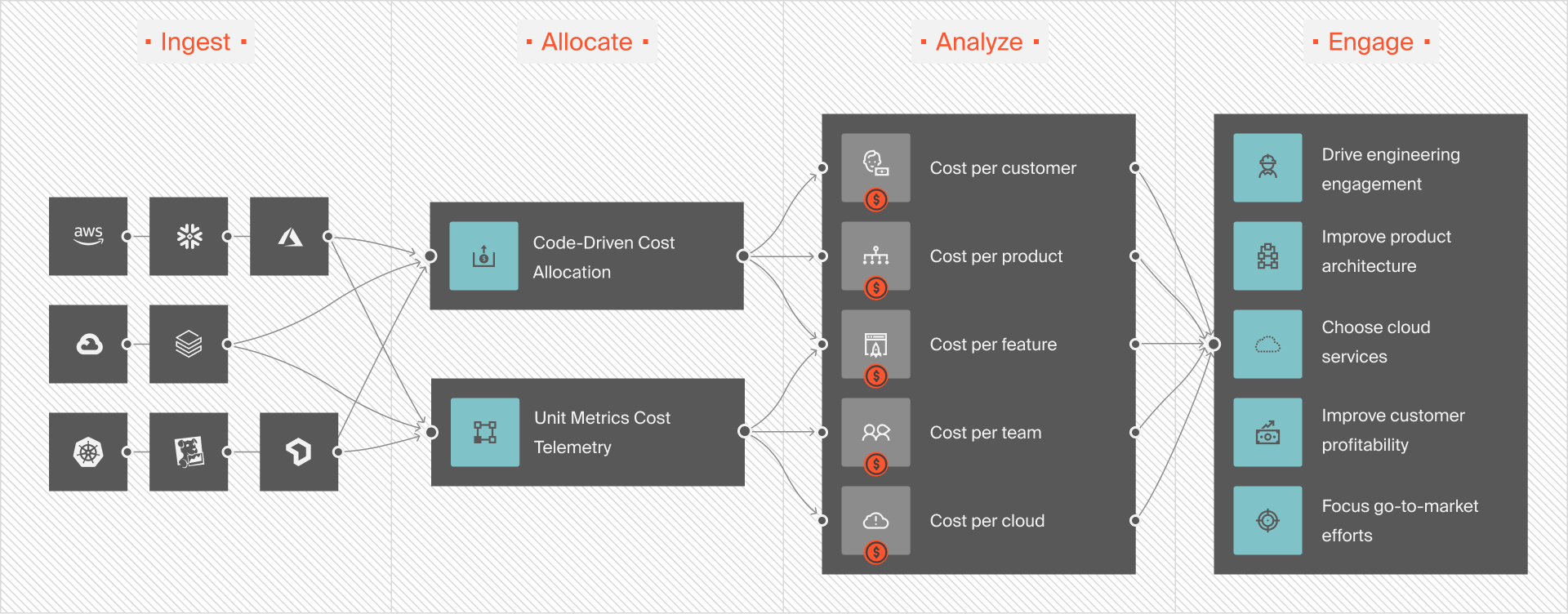
CloudZero breaks down your costs by hour, service, and environment. In addition, you can view your costs by individual customer, product feature, product, team, project, and more, like this:
That’s only scratching the surface. CloudZero also offers budgets and cost forecasting, real-time cost anomaly detection, and more. Don’t just take our word for it.
 to see why ambitious brands like Drift (cut their AWS spend by $2.4 million annually) and Obsidian (25% spend cut) use CloudZero.
Frequently Asked Questions about ElastiCache Pricing











