
Organizations are turning to Virtual Private Servers (VPS) for scalable and cost-effective hosting solutions. Google offers a robust VPS option through the Google Cloud Platform, tailored to various organizational needs.
Understanding Google VPS pricing can help you make informed decisions and optimize your cloud costs. This guide will explain Google VPS pricing, explore its uses, and provide tips for optimizing these costs with CloudZero.
What Is Google VPS?
Google VPS is a cloud-based service that allows organizations to host applications and websites on virtual machines. Powered by Google Compute Engine on the Google Cloud Platform (GCP), a Google VPS server uses virtualization technology to provide scalable, flexible, and efficient computing resources. You can easily adjust capacity based on your needs, paying only for what you use.
Google VPS benefits from Google’s robust infrastructure — including fast global networks, secure data centers, and advanced management tools.
Benefits of Google VPS
Google VPS comes with many benefits, including:
Cost-effectiveness
Google VPS operates on a pay-as-you-go pricing model, allowing you to pay only for the resources you use. This helps businesses manage their hosting costs and avoid the costs of physical hardware maintenance.
Scalability
As your website traffic or application demands increase, you can add more CPU cores, RAM, or storage to your Google VPS without moving to a new server. This is significantly easier than scaling traditional shared hosting.
Performance
With guaranteed resources, your website won’t slow down due to other users hogging the shared server. This translates to faster page load times, smoother user interactions, and better search engine rankings.
Customization
With Google VPS, you can install any software or operating system compatible with your VPS. You can also fine-tune web server settings, install custom security measures, and manage your web environment to fit your needs.
Security
Google VPS offers better isolation from other users on the same physical machine. This reduces the risk of malware spreading from neighboring sites and allows you to gain more control over your security protocols.
Root access
Root access allows developers and tech-savvy users full control over the server. This is essential for specialized software, complex configurations, and troubleshooting.
Report
Finance needs to prove AI’s return: CloudZero report
260 senior finance leaders (more than half CFOs) told us why the speed of seeing AI spend, not the size of it, separates who pulls ahead on AI from who gets burned.
Google VPS Use Cases
Google VPS is a versatile solution that caters to various cloud-based business needs. Here are some common use cases:
Containerized applications
Google VPS supports containerized applications, making it an excellent choice for organizations using Docker or Kubernetes. For example, a media company can use Google VPS to host containerized applications that handle video processing and streaming, benefiting from containers’ portability and scalability.
Hosting websites and applications
Organizations often use Google VPS to host websites and web applications. For instance, a growing e-commerce store can benefit from Google VPS’s scalability.
As traffic increases during peak shopping seasons, the store can easily add resources to handle the load. Then, it can scale down during off-peak times. This flexibility helps manage costs while ensuring a smooth user experience.
Cloud-based development and testing
Google VPS is ideal for creating cloud-based development and testing environments. Teams can quickly spin virtual servers to test new features or applications in an isolated environment.
Data processing and analytics
Another popular use case for Google VPS is data processing and analytics in the cloud. Organizations dealing with large datasets can use Google VPS to run data analysis tasks.
For instance, a marketing firm might use Google VPS to process customer data and generate insights for targeted campaigns. The firm’s data scientists can use the virtual servers to run complex algorithms and models without hardware limitations.
Disaster recovery in the cloud
Google VPS also plays a crucial role in cloud-based disaster recovery strategies. Businesses can back up critical data and applications on virtual servers. This ensures they can quickly restore operations in case of hardware failures or other disasters.
Running legacy applications in the cloud
Some organizations use older applications that may not work with modern operating systems. Google VPS lets them run these applications on virtual servers with the needed software and settings. This way, businesses can keep using their important legacy systems while slowly moving to newer technologies.
Cost management and optimization
Google VPS provides flexible, scalable, cost-effective solutions for various cloud use cases. This helps organizations optimize their operations and achieve their goals.
Big data and machine learning
The scalability of Google VPS allows companies to leverage big data and machine learning to process large datasets efficiently and cost-effectively.
Remote work solutions
With the rise of remote work, companies can use Google VPS to set up virtual desktops and remote development environments. For instance, a software firm can provide its remote developers access to powerful virtual desktops hosted on Google VPS. This ensures they have the necessary resources to work from anywhere.
How Does Google VPS Pricing Work?
Google VPS operates on a pay-as-you-go pricing model, ensuring you only pay for the resources you use. Billing starts at a one-minute minimum, then charges per second, so you’re not locked into hourly increments. Here’s a breakdown of the key components that determine the cost of a GCP VPS:
Machine types
Google Cloud offers several machine families, each optimized for different workloads:
- E2 (cost-optimized): The most affordable general-purpose option. E2 instances use a shared-core architecture for smaller sizes (e2-micro, e2-small, e2-medium) and dedicated cores for larger configurations. An e2-standard-4 with 4 vCPUs and 16 GB RAM runs roughly $98/month on demand in us-central1.
- N2 (balanced): General-purpose instances with a strong balance of compute, memory, and networking. N2 also supports custom machine types, letting you dial in exact vCPU and RAM ratios to avoid over-provisioning.
- C2/C3 (compute-optimized): Built for compute-intensive tasks like batch processing, gaming servers, and scientific modeling.
- M-series (memory-optimized): Designed for memory-heavy workloads like large in-memory databases and real-time analytics.
CPU and RAM
The cost of Google VPS depends on the number of virtual CPUs (vCPUs) and the amount of RAM you allocate. Pricing varies by machine family and region. For example, N2 custom instances in the us-central1 region cost approximately $0.033174 per vCPU hour and $0.004446 per GB of RAM per hour. E2 instances are priced slightly differently since smaller sizes use shared cores, making them the most budget-friendly entry point for lightweight workloads.
Persistent disk storage
Storage is another crucial factor in Google VPS pricing. You pay for the amount of persistent disk storage you use. A standard persistent disk (pd-standard) costs around $0.04 per GB per month. There are also options for SSD storage (pd-ssd), which offers higher performance at a higher price, and balanced persistent disks (pd-balanced) that split the difference.
Network usage
Data transfer costs can add up, especially if you have significant outbound traffic. Google charges for egress (outgoing) traffic based on the amount of data and the destination. Ingress (incoming) traffic is generally free. Within the same region, egress is free as well. Same-continent inter-region transfers run around $0.01 per GB, while internet egress in North America and Europe starts at roughly $0.085–$0.12 per GB depending on monthly volume. Intercontinental transfers cost more. Planning your network architecture around regions can make a meaningful difference in your monthly bill.
Operating system licensing
If you use a premium operating system like Windows Server, there are additional licensing costs. These are typically charged on an hourly basis.
Discount options
Google Cloud offers several discount mechanisms to lower your GCP VPS hosting costs:
Spot VMs (formerly preemptible VMs) offer the steepest discounts: 60–91% off on-demand pricing. The trade-off is that Google can reclaim these instances with a 30-second notice when it needs the capacity. This makes spot VMs well suited for batch processing, CI/CD pipelines, and fault-tolerant workloads where interruptions are acceptable.
Sustained use discounts (SUDs) automatically apply when you run eligible VMs (N1, N2, N2D, C2) for more than 25% of the billing month. Discounts scale up to 30% for instances running the full month. Note that newer machine families like E2, C3, and T2D are not eligible for SUDs.
Committed use discounts (CUDs) offer deeper savings in exchange for a 1-year or 3-year commitment. A 1-year commitment saves around 37%, while 3-year commitments can save up to 70% on memory-optimized workloads. CUDs are available across all machine families and are Google’s recommended approach for predictable workloads.
Here’s an example:
Let’s consider an example to illustrate how Google VPS pricing works. Suppose you run an N2 custom instance with 4 vCPUs and 16 GB of RAM in the us-central1 region. Here’s how the costs might add up:
vCPU cost: 4 vCPUs x $0.033174 per vCPU hour
RAM cost: 16 GB x $0.004446 per GB hour
Storage cost: 100 GB of standard persistent disk x $0.04 per GB per month
Network egress cost: 500 GB internet egress in NA x ~$0.085–$0.12 per GB (tiered by volume)
Adding these components allows you to estimate your monthly cost based on your specific usage patterns. Google Cloud’s pricing calculator is a useful tool to get a more accurate estimate based on your configuration.
Free tier
Google Cloud’s Always Free tier includes one e2-micro VM instance (enough to run 24/7), 30 GB of standard persistent disk storage, and 1 GB of outbound data transfer per month. It’s available in select US regions (us-west1, us-central1, us-east1) and is a practical way to experiment with a GCP VPS before committing to paid resources.
Tips To Reduce Google VPS Costs
Google VPS offers flexibility and scalability. But, costs can spiral out of control without proper cost management. Here are practical tips to reduce Google VPS Costs
Monitor your usage
The first step in controlling costs is to monitor your usage continuously. GCP offers tools like Google Cloud Console and Cloud Monitoring to track your resource usage. However, these tools can be complex and may not offer a complete picture when using multiple cloud providers.
Set budgets and alerts
Set budgets for your cloud spending and configure alerts to notify you when you approach or exceed these budgets. This proactive approach helps you stay within your financial limits and avoid unexpected charges.
Use sustained use and committed use discounts
Take advantage of Google’s discount programs. Sustained use discounts apply automatically for eligible machine types (N1, N2, C2) when you run VMs for a significant portion of the month. Committed use contracts offer even larger savings — up to 37% for 1-year and 70% for 3-year commitments. For fault-tolerant workloads, spot VMs can cut costs by 60–91%. Match each workload to the right discount mechanism based on how predictable and interruptible it is.
Rightsize your resources
Regularly review your resource allocation and adjust it to match your needs. Over-provisioning can lead to unnecessary costs. Use GCP’s recommendations to rightsize your instances based on historical usage patterns.
But is there a better solution?
How To Manage, Control, And Optimize Costs With CloudZero
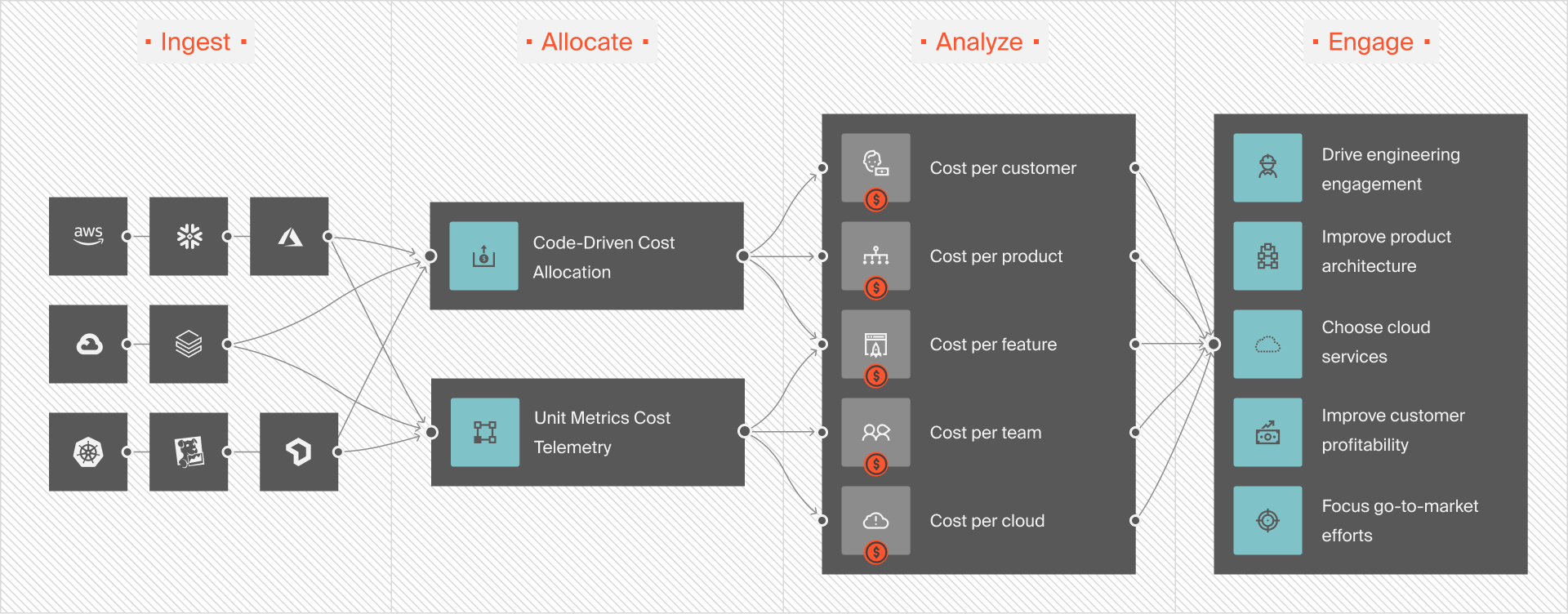
While GCP provides tools for monitoring and budgeting, CloudZero offers a comprehensive platform to manage cloud costs across multiple providers, including Google Cloud, AWS, Azure, and 50+ additional services like Snowflake, Datadog, and OpenAI.
Here’s how CloudZero can help when dealing with multiple cloud platforms:
Unified cost visibility
CloudZero consolidates your cloud costs from different providers into a single dashboard. This visibility helps identify cost-saving opportunities and optimize resource allocation.
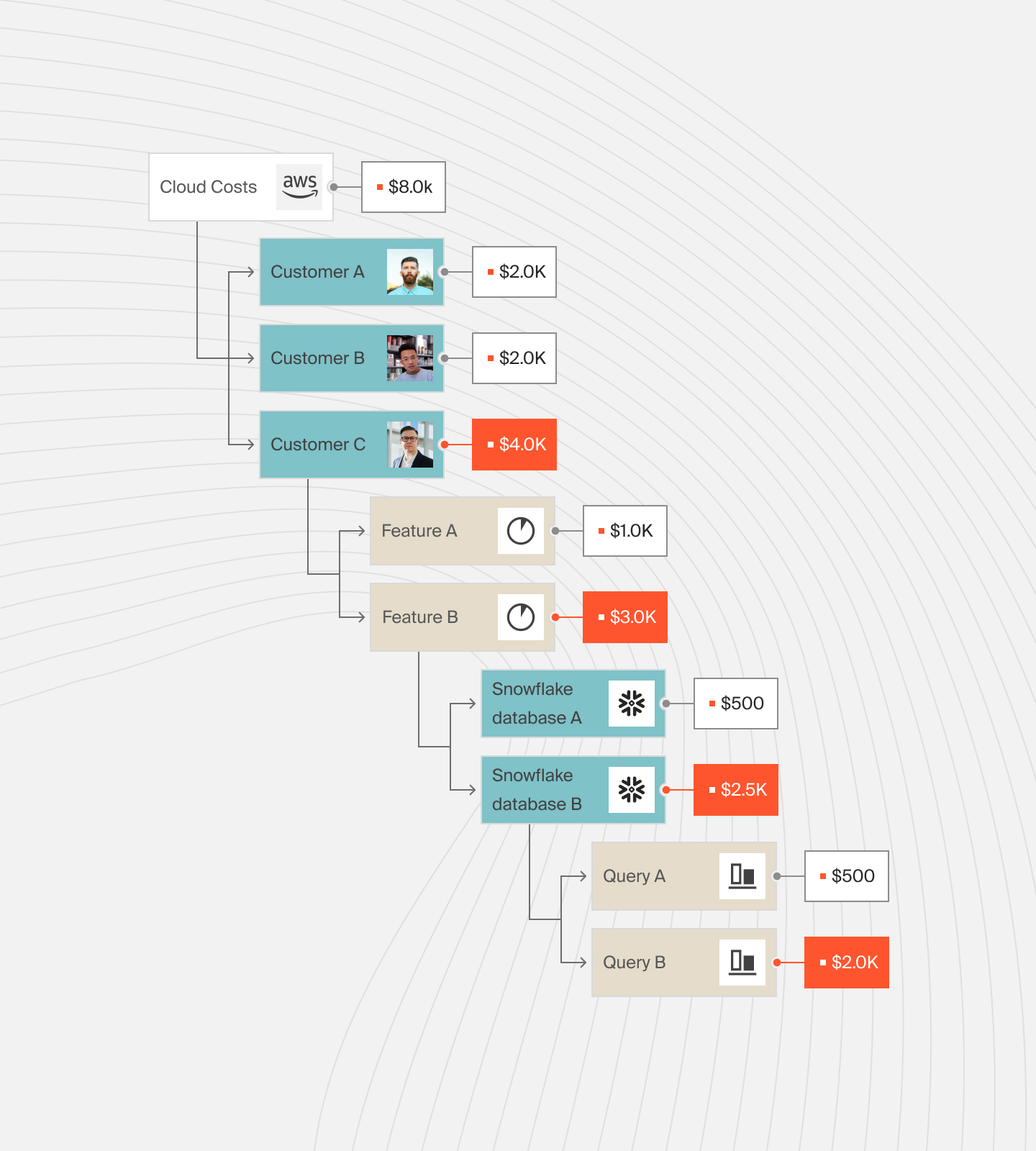
Granular cost analysis
CloudZero breaks down your cloud expenses by service, project, team, or feature. This granular analysis helps you understand which areas are driving costs and where you can make adjustments.
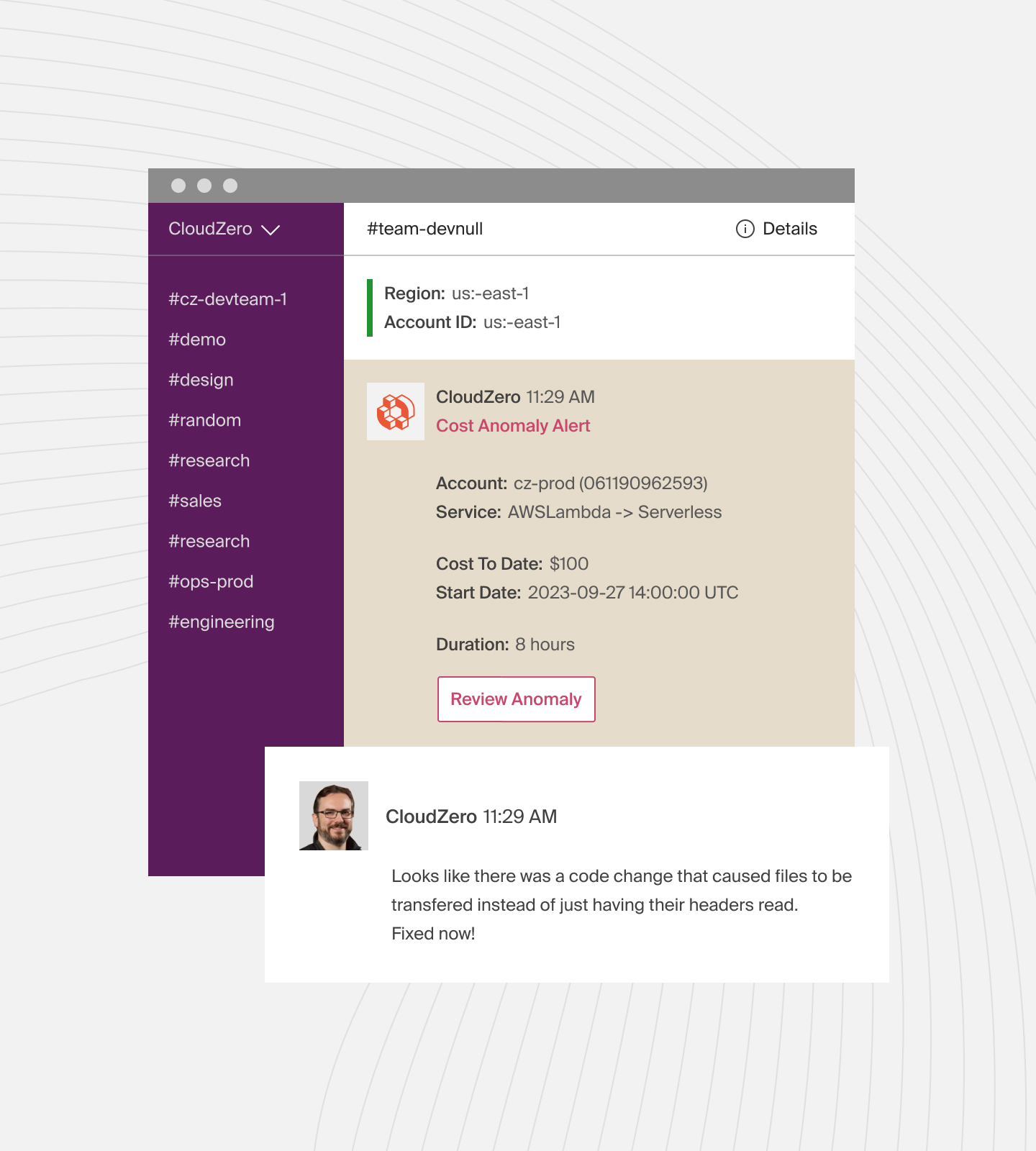
Cost anomaly detection
CloudZero uses advanced algorithms to detect cost anomalies in real time. If your cloud spending unexpectedly spikes, you’ll receive an alert. This allows you to investigate and address the issue promptly.
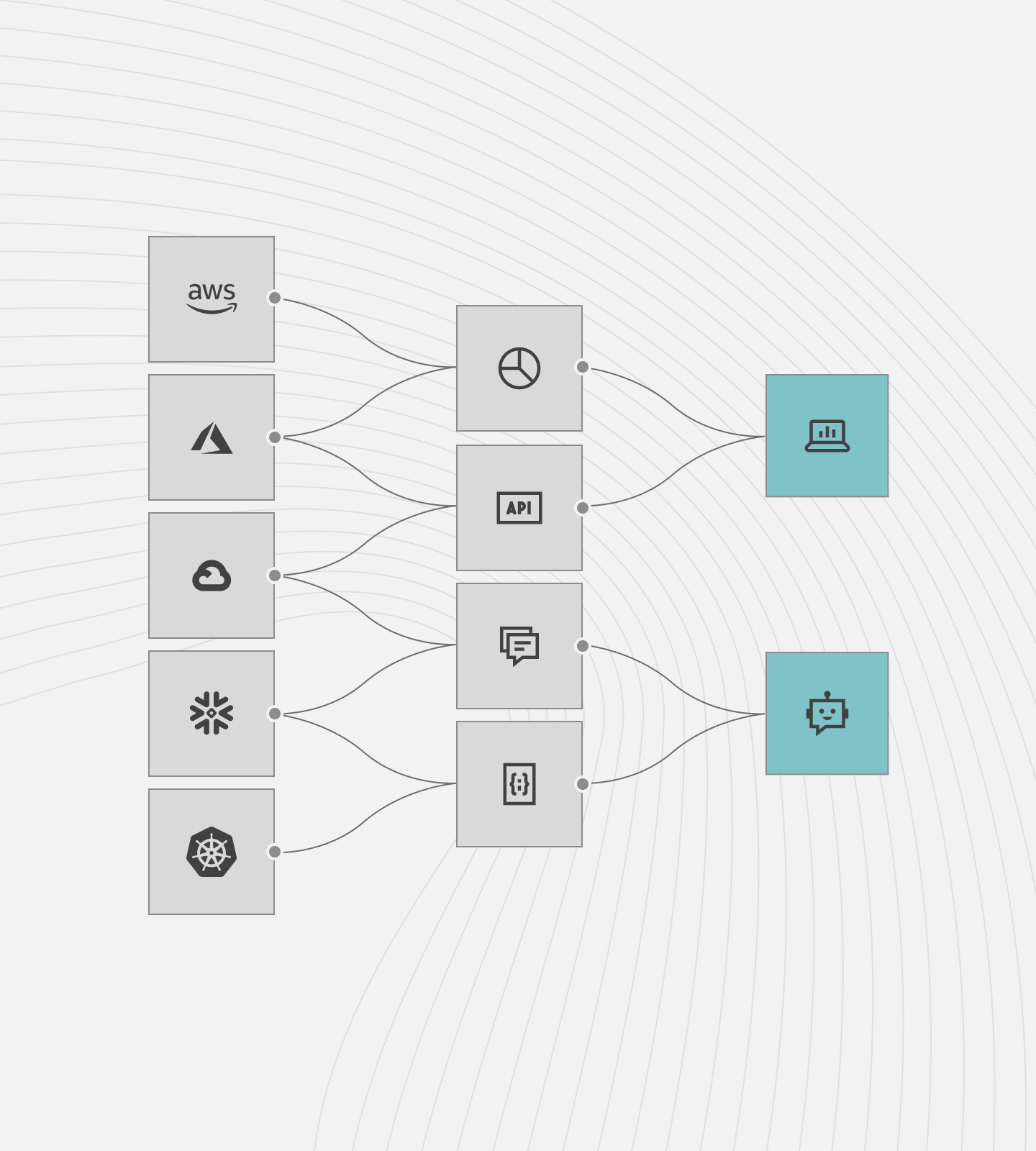
Automated cost allocation
Allocate costs accurately to different teams or projects. CloudZero automates this process, ensuring that each department or project is charged for the resources they use. This promotes accountability and efficient spending.
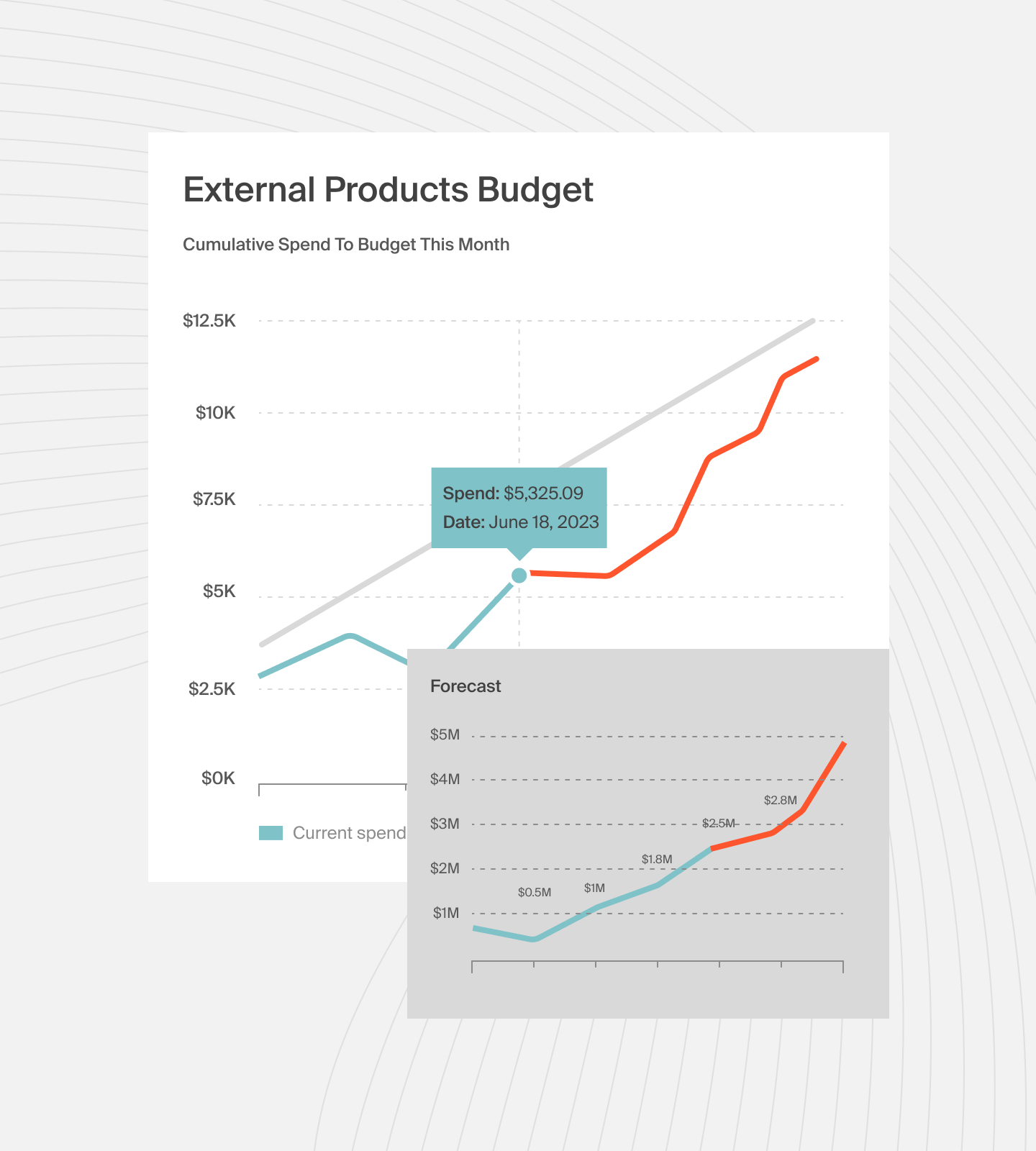
Forecasting and budgeting
With CloudZero, you can forecast future cloud expenses based on current usage trends. This forecasting helps you create accurate budgets. It also guides in making informed decisions on resources.
 to see how CloudZero can help you better understand and manage your cloud costs.
Frequently Asked Questions about Google VPS Pricing











