Amazon Web Services (AWS) has been the leader in cloud computing for more than 10 years. Despite a decade of innovation, no AWS service encapsulates cloud computing principles better than Elastic Compute Cloud (EC2).
Through EC2, AWS can offer flexible and scalable virtual infrastructure that can be ‘rented’ to run applications and workloads.
Most organizations understand EC2’s value but can improve efficiency and cost-effectiveness by refining how they select, monitor, and manage instances.
To build a strategy that optimizes EC2 cost efficiency, we first need to understand how EC2 costs are calculated.
What you pay is determined by a combination of factors, which include the instance type, region, pricing model (think Reserved Instances, Spot Instances, etc.), and additional services that are used in conjunction with your compute (think storage, load balancers, and data transfer)
Once we understand what drives the monthly bill, we can develop a strategy focused on those factors. Let’s take a look at some specific steps we can take to optimize our efficiency and cost:
1. Choosing The Right Instance Type
Choosing the right instance type is one of the most effective ways to reduce EC2 costs. Overprovisioned and underutilized instances generate the majority of EC2 waste.
Amazon EC2 offers a wide range of instance types to meet diverse resource requirements. Cost efficiency depends on accurately matching those needs.
Start with a simple question: Is this workload CPU-intensive, memory-intensive, or balanced?
Instance families are designed for specific resource profiles. Running a memory-intensive workload on a compute-optimized instance — or vice versa — results in wasted capacity and higher costs.
Identify underutilization and overprovisioning
To spot inefficient instance sizing:
- Monitor CPU utilization, memory usage, and network throughput
- Compare peak usage against the instance’s allocated resources
- Look for long periods of low or idle utilization
Even basic monitoring data is sufficient to determine whether an instance is oversized.
Once usage patterns are clear, teams can:
- Downsize instance sizes
- Switch to a more suitable instance family
- Reduce costs without impacting performance
Compare instance costs before resizing
AWS provides an instance type matrix that maps instance families to workload types. However, comparing actual hourly costs across regions and instance families is often faster using pricing comparison tools.
Tools like CloudZero Advisor show real hourly EC2 costs across instance families and regions, making it easier to evaluate resizing decisions.
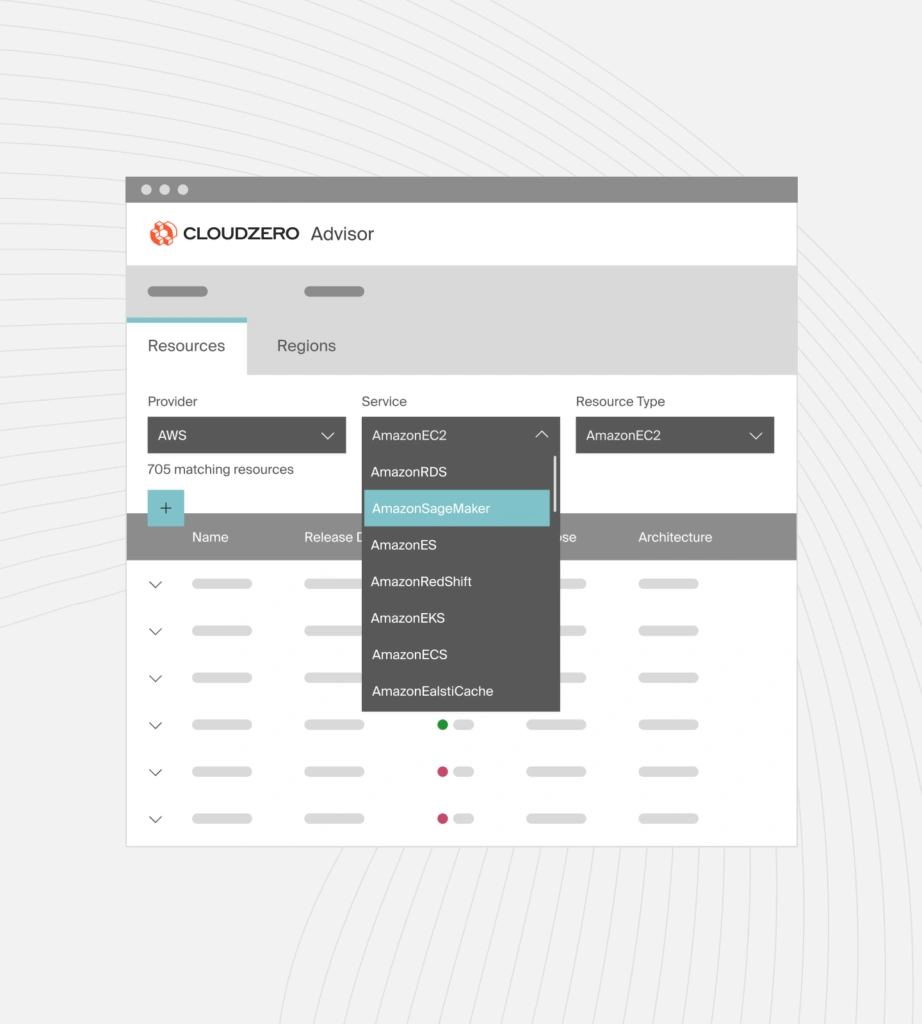
Important: the same EC2 instance type can cost different amounts across AWS regions. Always factor regional pricing into sizing decisions.
Report
Finance needs to prove AI’s return: CloudZero report
260 senior finance leaders (more than half CFOs) told us why the speed of seeing AI spend, not the size of it, separates who pulls ahead on AI from who gets burned.
2. Understanding The Differences Between AWS Pricing Models
Choosing the right pricing model is one of the biggest levers for reducing EC2 costs. AWS offers three primary pricing models for Amazon EC2, each designed for a different level of workload predictability and tolerance for interruption.
On-Demand Instances
Best for: short-term, unpredictable, or spiky workloads.
On-Demand Instances use a pay-as-you-go model. You’re billed per second (with a 60-second minimum) for as long as the instance is running.
- Pricing is predictable and fixed
- Availability is guaranteed
- Performance is consistent
On-Demand is the default EC2 pricing model and is ideal when you need flexibility without long-term commitment.
Spot Instances
Best for: fault-tolerant, interruption-friendly workloads. Spot Instances use spare AWS capacity and are always cheaper than On-Demand, often by up to 90%.
- Pricing fluctuates based on available capacity
- Availability is not guaranteed
- Instances can be interrupted when AWS reclaims capacity
Because Spot Instances can be interrupted, Spot Instances work best for workloads that can stop and resume cleanly, such as batch jobs, data processing, CI tasks, and background workloads.
Reserved Instances
Best for: long-running, predictable workloads.
Reserved Instances provide discounted pricing in exchange for a 1-year or 3-year commitment.
- Lower effective hourly cost than On-Demand
- Guaranteed availability
- Predictable monthly spend
Reserved Instances are not as cheap as Spot, but they offer reliability and cost savings for stable workloads that must always be available.
3. Leveraging Tools To Cut Down Hourly Costs
Amazon EC2 costs accrue while instances are running. If an instance is up, you are paying — regardless of utilization.
Even when using discounted pricing models, such as Reserved Instances or Savings Plans, runtime still matters. Many teams overpay simply because non-production instances run outside active hours.
A practical way to reduce EC2 hourly costs is to control when instances run.
Schedule EC2 runtime to match actual usage
Development, test, and staging environments rarely need to run 24/7. By shutting down instances at night, on weekends, or during idle periods, teams can reduce compute costs without affecting performance.
AWS provides native scheduling tools, such as the AWS EC2 Instance Scheduler, that enable teams to define when EC2 instances start and stop.
Once configured:
- Instances start only during required hours
- Instances stop automatically when not in use
- You avoid paying for idle runtime
Because EC2 pricing is based on time running, scheduled downtime directly translates into cost savings.
Why scheduling improves EC2 cost efficiency
Scheduling does not change instance performance or capacity. It simply ensures you are not paying for compute when no work is happening.
This makes scheduling one of the fastest ways to reduce EC2 spend, especially for:
- Development and test environments
- Internal tools
- Low-traffic workloads
How CloudZero Helps Teams Reduce EC2 Costs
Understanding EC2 pricing models is only part of cost optimization. The bigger challenge is knowing which EC2 instances are driving spend and why.
CloudZero helps engineering, finance, and platform teams understand EC2 costs in business terms, not just at the instance level.
Instead of viewing EC2 spend by individual instances or tags, CloudZero shows:
- Which applications, services, and environments drive EC2 costs
- Where idle or underutilized EC2 capacity increases spend
- How EC2 costs map to teams, products, and customers
- When abnormal EC2 cost trends appear — before the AWS bill arrives
This visibility makes it easier to right-size instances, reduce idle runtime, and choose the most cost-effective EC2 pricing models without impacting performance.
Take a product tour or  to see what your EC2 workloads really cost.
Amazon EC2 FAQs
What is Amazon EC2?
Amazon EC2 is a cloud service that provides resizable virtual machines, allowing users to run applications without managing physical servers.
How much does Amazon EC2 cost?
There is no fixed price. EC2 costs vary based on instance configuration, region, pricing model, and instance duration.
What determines the cost of an EC2 instance?
EC2 cost is determined by CPU and memory capacity, instance family, region, pricing model, and attached resources like EBS volumes and network usage.
How is EC2 billed?
EC2 is billed per second of runtime, with a minimum of 60 seconds, plus charges for storage, networking, and other AWS services used.
Why is my EC2 bill so high?
Idle instances usually lead to high EC2 bills, overprovisioned instance types, On-Demand pricing for long-term workloads, and unmonitored data transfer.
What is right-sizing EC2 instances?
Right-sizing means adjusting instance types or sizes to match actual CPU, memory, and network usage instead of overprovisioned capacity.
Are stopped EC2 instances free?
Stopped EC2 instances do not incur compute charges, but attached EBS volumes and Elastic IP addresses may still generate costs.
What is the difference between On-Demand, Reserved, and Spot Instances?
On-Demand offers flexibility; Reserved provides discounted pricing with a commitment; Spot offers the lowest cost with potential interruptions.
When should I use Spot Instances?
Spot Instances are best for interruption-tolerant workloads such as batch processing, CI jobs, data analysis, and non-critical background tasks.
Do EC2 tags show real cost drivers?
EC2 tags help with allocation, but they do not explain why costs increase or how spend relates to customers, products, or features.
How can I see what’s driving EC2 costs?
Tools like CloudZero connect EC2 spend to customers, products, teams, and workloads to reveal true cost drivers.
Is EC2 cheaper than running servers on-premises?
EC2 is often cheaper for variable or scaling workloads, but cost efficiency depends on utilization, architecture, and pricing model selection.