Amazon Web Services (AWS) provides three types of Elastic Compute Cloud (EC2) instances; On-Demand Instances, Reserved Instances (RIs), and Spot Instances. EC2 On-Demand instances are the default and most expensive instances. RIs and Spot instances offer discounts of up to 72% and 90% on On-Demand instances, respectively.
The Reserved Instances are long-term commitments that guarantee you compute power for a year or three. Spot instances fluctuate in price and availability constantly. Such fluctuations could interrupt your workloads, leaving applications running on interrupted Spot instances unavailable.
Interruptions can not only harm your less fault-tolerant workloads, but also hurt your monthly recurring revenue, customer retention, and overall growth. Fortunately, Spot Instance Advisor aims to help you avoid that.
Table Of Contents
What Is Spot Instance Advisor?
Spot Instance Advisor helps you find the most suitable pool of Spot Instances for your needs, with the lowest likelihood of interruption, while offering the greatest savings over On-Demand pricing.
AWS used to call it Spot Bid Advisor. Back then, it helped organizations choose the most competitive Spot Instance bid price. You could view how often your selected bid price was likely to be outbid. Here’s an example:
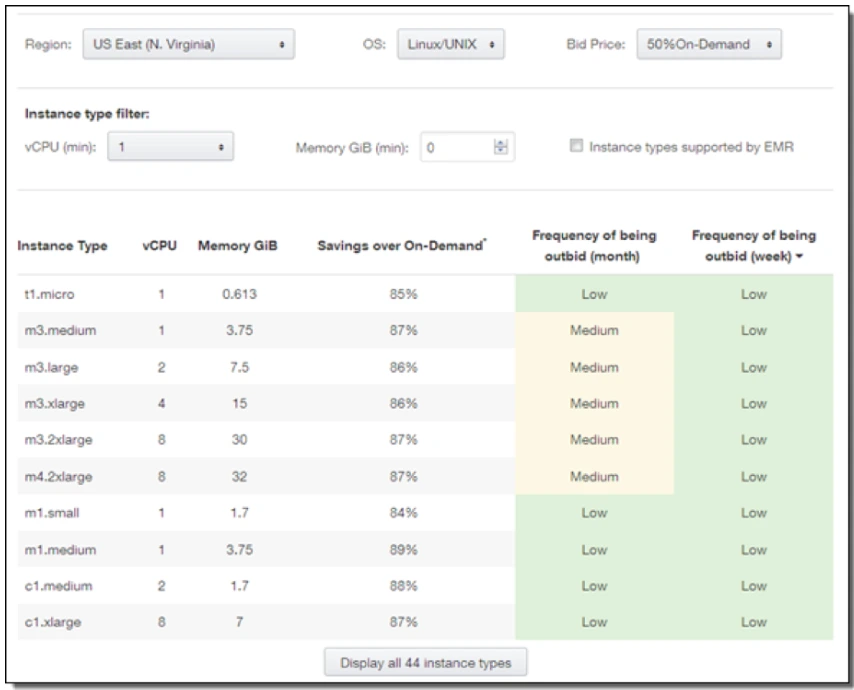
A lower outbid frequency meant that your Spot Instance was available to your workloads for a longer period of time. Well, until someone outbid you and you had to return the instances within a couple of minutes.
Using Spot Instance Advisor is different.
Research Report
FinOps In The AI Era: A Critical Recalibration
What 475 executives told us about AI and cloud efficiency.
How Does Spot Instance Advisor Work?
Spot Instance Advisor provides Frequency of Interruption insights on each EC2 instance type. You can sort the frequency of interruption by ascending or descending order.
It also shows how much you could save if you won the bid to use the Spot Instance at your set price. AWS displays the savings as the difference between On-Demand and Spot Instance pricing over the last 30 days as a percentage.
The Spot Instance Advisor lets you select the following details based on your Spot Instance EC2 compute needs.
- AWS region, specifying which AWS Availability Zone (AZ) you want. The Spot Instance Advisor currently offers 21 AWS regions. Spot instance availability zones include US East, US West, Canada, and South America (Sao Paulo), Africa (Cape Town), as well as Asia Pacific, Europe, and the Middle East (Bahrain).
- Operating system. Select between Linux/Unix and Windows
- Spot instance bid price in percentage discount over the current On-Demand price, such as 25%, 50%, or 75% off.
- The instance type filter helps you select the minimum virtual processing power (vCPU) and memory (GiB per minute) you need. There is also the option to include or exclude instance types supported by Amazon EMR (big data platform).
The following is an example of how Spot Instance Advisor features work:
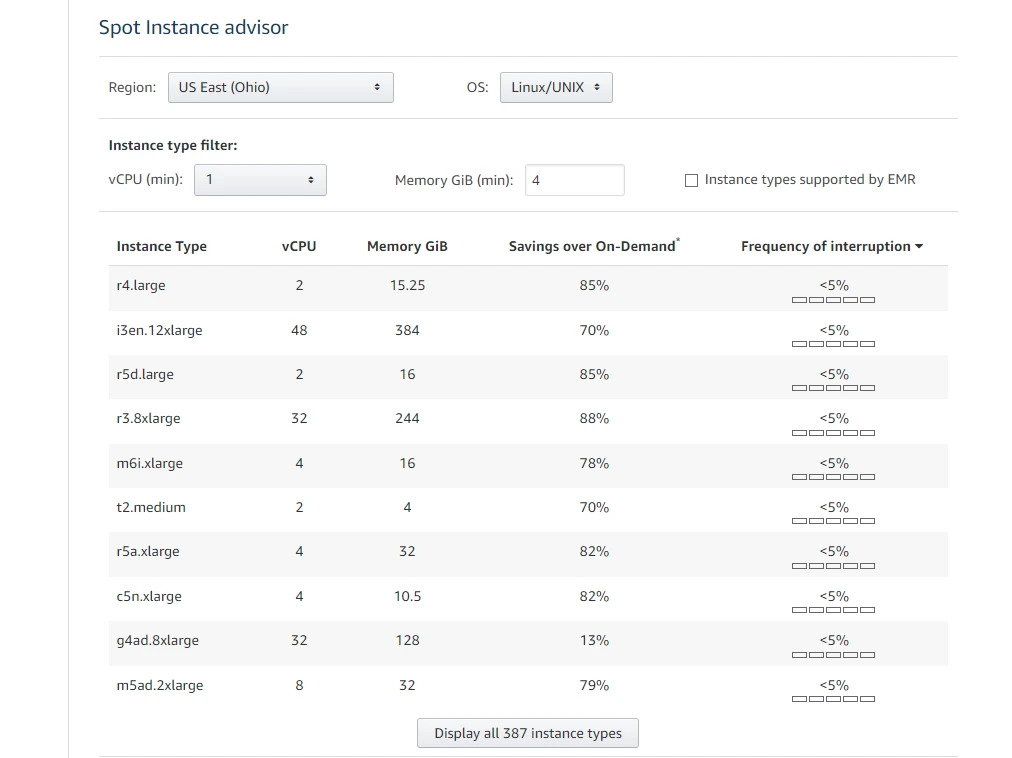
Notice how the tool provides the “less than percentage” figure for Frequency of Interruption. Here’s the deal. As interruption frequency decreases, Spot Instances will last longer, resulting in increased availability, fewer interruptions, and more persistent workload performance for you.
The frequency of interruptions will vary based on several factors, such as your operating system and availability zone selection.
After identifying the instances most and least likely to be interrupted, you will want to reconsider what types of workloads to run on the available Spot Instances. Instances that have a low interruption frequency are suitable for a variety of Spot Instance use cases.
You can still use Spot Instances with a higher interruption frequency if you are running highly fault-tolerant workloads or quick jobs. Otherwise, you’ll want to distribute your workload over a broad range of AWS instance types to ensure high availability and sustain reliable system performance.
Now here is the thing.
You must first submit a Spot Instance Request in order to purchase available Spot Instances at a discount. You’ll specify the maximum price you are willing to pay per hour for a Spot Instance in that request. If you don’t specify your price, the On-Demand price will be the default. Amazon EC2 will fulfill your request if capacity is available and your requested price per hour exceeds the ongoing Spot price.
Amazon EC2 can hibernate, stop, or completely terminate your Spot Instance when it needs the capacity back. There are two possible scenarios for this to occur:
- If AWS needs the capacity back for other EC2 use cases, or
- If someone else bids a Spot price that exceeds your maximum price request.
In either case, Amazon EC2 issues a Spot Instance interruption notice, which gives the instance two minutes’ notice before being interrupted.
You can request a Spot Instance only once or persistently. The EC2 service automatically resends a persistent Spot Instance request when the Spot Instance linked to the request terminates.
The service generates and sends an Instance Rebalance Recommendation, a signal that indicates a Spot Instance is at high risk of interruption. The advance warning helps you to distribute your workloads among existing or new Spot Instances prior to the two-minute Spot Instance interruption notice.
Although AWS promises interruptions are rare, you do not want to take that risk with your less fault-tolerant workloads.
In addition, switching between instances can be inefficient and costly over the longer term. This makes sense when you consider that you get a mere two-minute interruption notice. You have to manually find, select, and switch to the best Spot instances for your workloads during that time. Obviously a lot of pressure.
Need we mention that the ideal instances have to be available in your Availability Zone, to begin with?
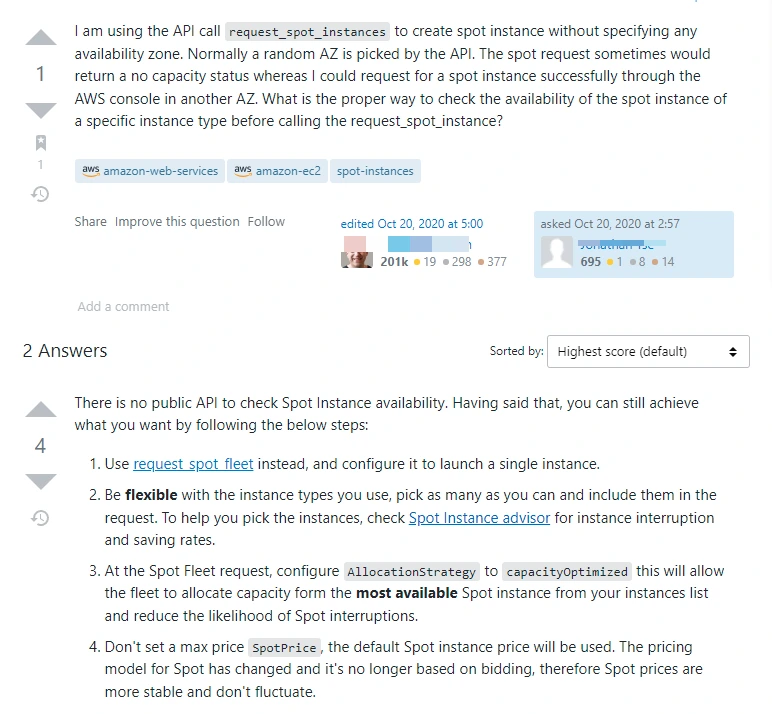
Perhaps you’ve faced a different frustrating scenario, like this engineer:
Credit: Stack Overflow forum
So, if you are thinking there has to be a better way, there is.
Is There A Better Way to Optimize Spot Instances?
You can automate the process of selecting the best Spot Instances for your needs, confirming their availability in your AWS region, OS, computing power, etc. by utilizing a powerful Spot Instance orchestrator. This can help you eliminate much of the repetitive manual work.
One such tool is Xosphere Instance Orchestrator.
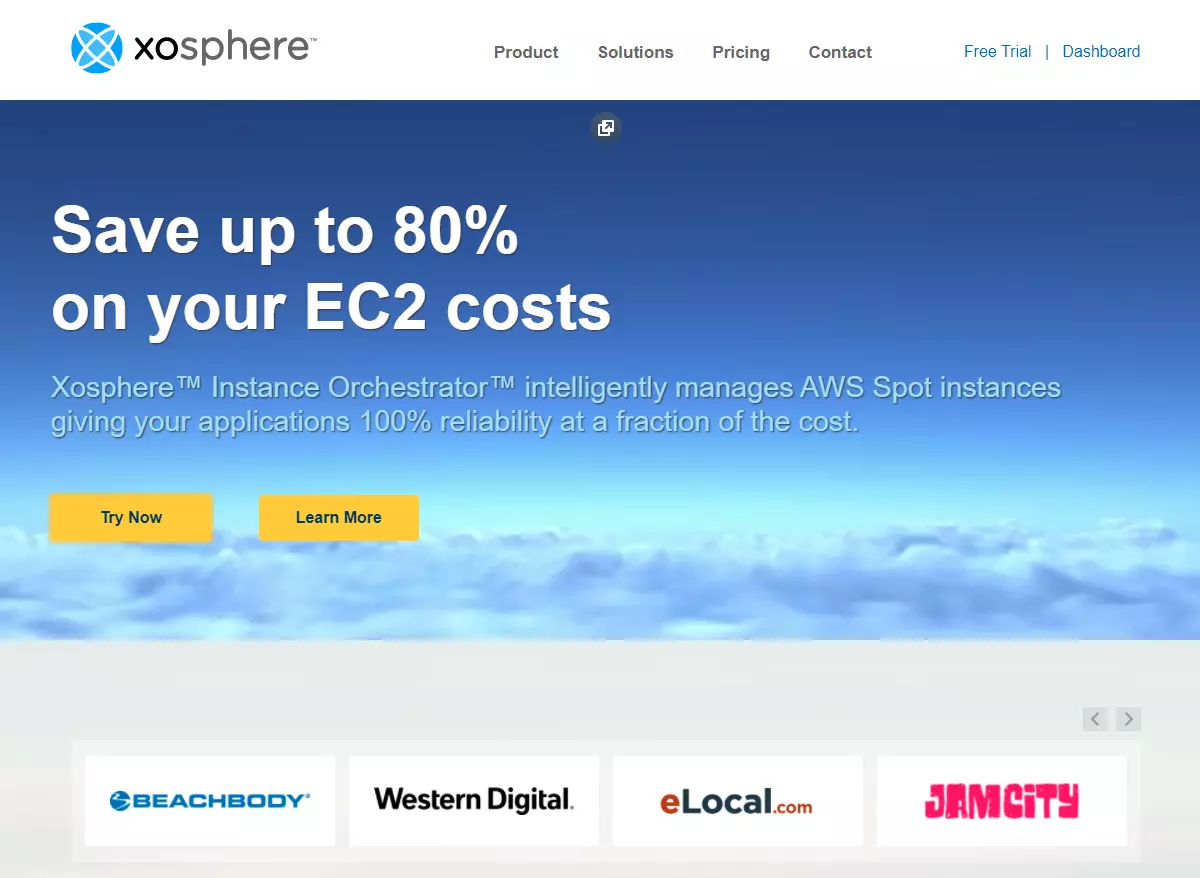
Xosphere substitutes On-Demand Instances for Spot Instances whenever the latter are available and reasonably priced. The software continuously checks your environment to assess the cost-effectiveness of your current instances.
As Spot Instances become less and less economical, Xosphere intelligently replaces them with On-Demand Instances. No human intervention is required. This transition does not cause significant system performance deterioration or render your applications unavailable.
Xosphere also supports applications written in any language or platform, containers (Kubernetes, EKS, Mesos, ECS, Rancher), and your favorite data stores, including Elasticsearch, MySQL, Redis, and Cassandra.
Here’s more about how Xosphere works, so you can decide if it’s a good Spot Instance Advisor alternative.
Key takeaway: Xosphere automatically replaces Spot Instances with On-Demand Instances so that you don’t have to — all while saving you money. Learn more about how Xopshere can be integrate with CloudZero here.
Frequently Asked Questions About Spot Instances
Here are some quick answers to your most pressing questions about Spot Instance Advisor, Spot Instances, and the alternative to Spot Instance Advisor (Xosphere Instance Orchestrator).
Are Spot Instances worth it?
When available, Spot Instances are a great way to significantly reduce your EC2 instance costs compared to On-Demand or Reserved Instances.
When is it best to use Spot instances?
Spot Instances are ideal for running temporary and fault-tolerant workloads, including some big data analyses, some distributed databases, and some stateful applications.
Is Spot Instance Advisor free?
Yes. Spot Instance Advisor is available with an Amazon EC2 subscription.
How often does Amazon EC2 reclaim Spot Instances?
Availability Zone, operating system, and computing configuration all affect interruption frequency. Select and filter specific Interruption Rates with the Spot Instance Advisor in ascending or descending order.
How long does a Spot instance interruption last?
Once an interruption occurs, the compute power you had is taken away for good. If you don’t replace the Spot Instances lost with new ones, the system defaults back on On-Demand Instances.
How much does Xosphere Instance Orchestrator cost?
Pricing is per hour per Spot Instance. Here’s a DIY Spot Instance savings calculator to see how much you could save with Xospshere.
Does CloudZero monitor and optimize Spot Instance costs?
By aligning cloud costs to people, products, and processes that produce the costs metrics within your environment, CloudZero helps you figure out where you can optimize costs without disrupting your system’s performance, engineering innovation, or customer experiences.
You can view a breakdown of your AWS bill by cost per customer, cost per feature, cost per team, cost per environment, cost per project, etc. You can use the granular cost insight to assist in showbacks, chargebacks, cost forecasting, and cost allocation.
You will also receive automated alerts about abnormal cost metrics via Slack or email. You can use this to continuously prevent cost overruns, whether you use RIs, On-Demand, or Spot Instances.
 to see how CloudZero can help you optimize your entire AWS costs in days, not months. In addition, we will connect you to a CloudZero Cost Intelligence Analyst who will help you get started like a pro.


FinOps In The AI Era: A Critical Recalibration
What 475 executives told us about AI and cloud efficiency.





![Amazon RDS Instance Types Explained [Classes, Sizes, Costs, and Tradeoffs]](https://www.cloudzero.com/wp-content/uploads/2026/01/rds-instances.webp)