
Quick Answer
Windsurf pricing changed in March 2026. Credits are gone, quotas are in. Pro costs $20/month, Max costs $200/month, Teams is $40/user/month, and a Free tier exists with limited daily quota. Tab autocomplete is unlimited on every plan.
Windsurf AI pricing went through a structural overhaul on March 19, 2026. Windsurf retired the credit-based system and replaced it with daily and weekly quotas. Pro went from $15 to $20. A new $200 Max tier appeared. The pricing page now lists cloud sessions for background development and SWE-1.5, Windsurf’s proprietary Fast Agent model.
Cognition AI acquired Windsurf in 2025, bringing the Devin autonomous agent team under the same roof — which explains SWE-1.5 and cloud sessions on the pricing page. The “Windsurf Codeium pricing” search term is a relic of the old brand name — Windsurf is now the primary product. If you’re searching for Windsurf IDE pricing or Windsurf editor pricing, the table below has every current number.
This guide covers every current Windsurf pricing plan, explains what quotas mean (and why they’re different from credits), compares Windsurf cost to Cursor, GitHub Copilot, and Claude Code, and addresses the question every developer is actually asking: is the $5 price increase worth it now that SWE-1.5 is in the mix?
What Does Windsurf Cost? Every Plan Verified
Windsurf has five pricing plans: Free, Pro, Max, Teams, and Enterprise.
|
Plan |
Price |
Usage quota |
Extra usage |
Tab |
Key additions |
|
Free |
$0 |
Light (daily/weekly) |
No available |
Unlimited |
Basic models |
|
Pro |
$20/mo |
Standard (daily/weekly) |
Per-token, varies by model |
Unlimited |
All premium models, SWE-1.5, Fast Context, Previews, Deploys |
|
Max |
$200/mo |
Heavy (daily/weekly) |
Per-token, varies by model |
Unlimited |
Everything in Pro, dramatically higher daily ceiling |
|
Teams |
$40/mo |
Standard per user |
Per-token, pooled across organization |
Unlimited |
Centralized billing, admin dashboard, analytics, priority support |
|
Enterprise |
Custom |
Custom |
Custom |
Custom |
SSO, RBAC, hybrid deployment, volume discounts, account management |
Note: Annual billing saves roughly 17–20%. A Windsurf student plan is available through windsurf.com/editor/students, approximately $10/month with a verified .edu email. Referrals earn $10 in extra usage.
1. Free: enough to evaluate, not enough to ship
Is Windsurf free? The Free tier gives you light daily and weekly quota with unlimited Tab autocomplete. Tab alone, code completions as you type, works indefinitely and doesn’t touch quota. Cascade (Windsurf’s agent for multi-file edits), Chat, and premium model access consume quota. In practice, the Windsurf free tier lasts two to three days of real coding before the quota runs dry. It’s a test drive, not a commute.
2. Pro at $20/month: the $5 question
Windsurf Pro at $20/month is where most paying developers land. Standard daily and weekly quota that refreshes automatically. Access to every premium model, Claude Sonnet 4.6, GPT-5.4, and SWE-1.5 (Windsurf’s in-house coding model). Fast Context for deep codebase understanding. Previews and Deploys for seeing your code run without leaving the editor.
Windsurf Pro pricing went from $15 to $20 in March 2026, matching Cursor Pro exactly. The Reddit threads wrote themselves: “So what’s the point of Windsurf now?” The point is what $20 buys with the new model lineup. SWE-1.5 handles agentic coding tasks that previously needed frontier models.
If SWE-1.5 covers 70% of your Cascade sessions, your quota stretches further than it would running Claude for everything. The $5 increase pays for a proprietary model that reduces your dependence on expensive third-party tokens. That’s the bet Windsurf is making. Developers who run SWE-1.5 for routine tasks and escalate to Claude or GPT only when needed will get more value from Pro than developers who default to frontier models for every prompt.
When you hit your daily quota, overages are billed at API pricing, not credit packs. You can also wait for the next daily refresh. No more end-of-month credit drought.
3. Max at $200/month: for the developers who kept buying credit packs
Max exists because some developers were spending $50–$80/month in add-on credits under the old system. $200/month gives you a heavy daily and weekly quota, same models, same features, just a much larger runway before hitting any cap.
At $200, Max competes with Cursor Ultra and Claude Code Max at the same price point. The AI coding tool market has collectively decided $200/month is where “power user” lives. The question is simple: what were your monthly overages on Pro? If consistently above $30, Max saves money. If not, Pro with occasional API-priced overages is cheaper.
4. Teams and Enterprise
Teams at $40/user/month adds centralized billing, admin dashboard with usage analytics, priority support, and Knowledge Base integration. Each user gets their own standard quota, not pooled. Up to 200 seats. Above that, Enterprise territory.
Enterprise is custom: SSO, RBAC, hybrid deployment options, volume discounts, and dedicated account management. Contact sales for quotes.
The plan table covers what you pay. The next question is why the new quota system means your invoice might not match the number on the pricing page.
Report
Finance needs to prove AI’s return: CloudZero report
260 senior finance leaders (more than half CFOs) told us why the speed of seeing AI spend, not the size of it, separates who pulls ahead on AI from who gets burned.
How Do Windsurf Quotas Work? (And Why They Replaced Credits)
The structural change matters more than the price change. Understanding how Windsurf credits became quotas explains why your effective Windsurf AI cost varies so much between developers on the same plan.
Old system (before March 2026): Monthly pool of credits. Pro got 500. You could burn all 500 in a single weekend coding marathon. When they ran out, and for heavy users, they ran out by week two, you bought more at $10 per 250. Developers called it the “end-of-month drought.” It was the single most common complaint on r/windsurf.
New system (March 2026 onward): Daily and weekly quotas that refresh automatically. No monthly pool to exhaust. Usage is rate-limited, not balance-limited. Hit your daily cap? Wait for tomorrow’s refresh or buy overages at API rates. The system is designed to prevent sprinting and droughting — you get a steady allocation across the billing period.
The hidden variable in every Windsurf subscription: which model handles your request. SWE-1.5 consumes quota at a fixed rate per message. Third-party models like Claude Sonnet 4.6 or GPT-5.4 consume quota proportional to the tokens they process.
A long Cascade session with Claude on a 50K-line codebase eats through daily quota faster than a dozen quick SWE-1.5 conversations. Model routing is the biggest lever on your effective Windsurf cost, and most developers don’t think about it until they hit their first daily cap.
Tab autocomplete never touches quota. Not on Free. Not on Pro. Not on any plan. This is worth repeating because some competitors meter completions on lower tiers. On Windsurf, Tab is genuinely unlimited everywhere.
Now that you know what Windsurf charges and how quotas burn, the obvious question: how does it stack up against the other options?
How Do You Reduce Your Windsurf Costs?
Four tactics that actually move the number:
Route to SWE-1.5 first. SWE-1.5 consumes quota at a fixed per-message rate. Claude Sonnet 4.6 and GPT-5.4 consume quota proportional to tokens processed — and on a 50K-line codebase, that ratio gets expensive fast. Default to SWE-1.5 for refactors, bug fixes, and boilerplate. Escalate to frontier models only when you need stronger reasoning or multi-step planning. If SWE-1.5 handles 70% of your Cascade sessions, your effective daily quota roughly doubles.
Lean on Tab. Tab autocomplete is unlimited on every plan, including Free, and never touches quota. Developers who type a line and then ask Cascade to finish the function are burning quota on work Tab would have done for free. Use Tab for line-level and block-level completions. Use Cascade for multi-file edits and architectural changes.
Scope your Cascade sessions. A single long Cascade conversation with growing context costs more quota per message as the context window fills. Start a new session for each distinct task. Smaller, focused sessions keep token counts low and quota consumption predictable.
Track your first week before choosing a tier. Pro’s daily quota resets every 24 hours. Code for a normal week on Pro, check how often you hit the daily cap, and calculate your overage spend. If overages consistently exceed $30/month, Max at $200 saves money. If not, Pro with occasional API-priced overages is cheaper than a 10x tier jump.
Windsurf vs. Cursor, Copilot, and Claude Code: The 2026 Comparison
Windsurf vs Cursor pricing is the comparison that matters most, because the March price increase erased Windsurf’s main differentiator:
|
Windsurf Pro |
Cursor Pro |
GitHub Copilot Pro |
Claude Code (Max 5x) | |
|
Price |
$20/mo |
$20/mo |
$10/mo |
$100/mo |
|
Usage model |
Daily/weekly quota |
500 fast + unlimited slow |
Monthly limits |
Token-base |
|
Premium models |
Claude, GPT-5.4 |
Claude, GPT-5.4 |
Claude, GPT-5.4 |
Claude Opus 4.6/4.7 |
|
Agents |
Cascade |
Composer + Background |
Copilot Workspace (preview) |
Terminal-native agent |
At $20/month, Windsurf vs Cursor pricing is identical. The differentiation is no longer price, it’s model access and workflow. Windsurf’s SWE-1.5 gives you a proprietary coding model that doesn’t exist in Cursor’s stack, plus cloud sessions for background development tasks. Cursor counters with more mature background agents and stronger multi-file orchestration on complex codebases. For most day-to-day feature work, refactors, and bug fixes, the gap between them rarely shows up.
GitHub Copilot at $10/month is half the price and strong at code completion. It competes on the lowest barrier to entry, not agent capability.
Claude Code is a terminal-based agent, not an IDE. At $100–$200/month, it targets developers who want Claude’s reasoning applied to full codebases from the command line. Different tool, same budget conversation.
The comparison tells you what each tool costs. It doesn’t tell you what your team is actually spending. That’s a different problem.
Why AI Coding Tool Costs Are A Tracking Problem, Not a Pricing Problem
A 10-developer team on Windsurf Teams runs $400/month base. Add overages for heavy Claude usage: $100–$200 more. Add three developers who prefer Cursor: $60/month. A senior engineer on Claude Code: $200/month. Direct API calls for custom tooling. Production inference costs from models serving users.
That’s $800–$1,200/month in AI developer tool costs scattered across five vendors, five dashboards, and zero unified view. It didn’t exist 18 months ago. Nobody budgeted for it. And when the CFO asks “what are we spending on AI tools?”, nobody has a number, because the spend is invisible across individual subscriptions and cloud bills.
This is the problem CloudZero solves. It attributes AI developer tool spend; Windsurf, Cursor, Claude Code, direct API usage, cloud inference, alongside infrastructure costs, by team, project, and engineer through the CostFormation.
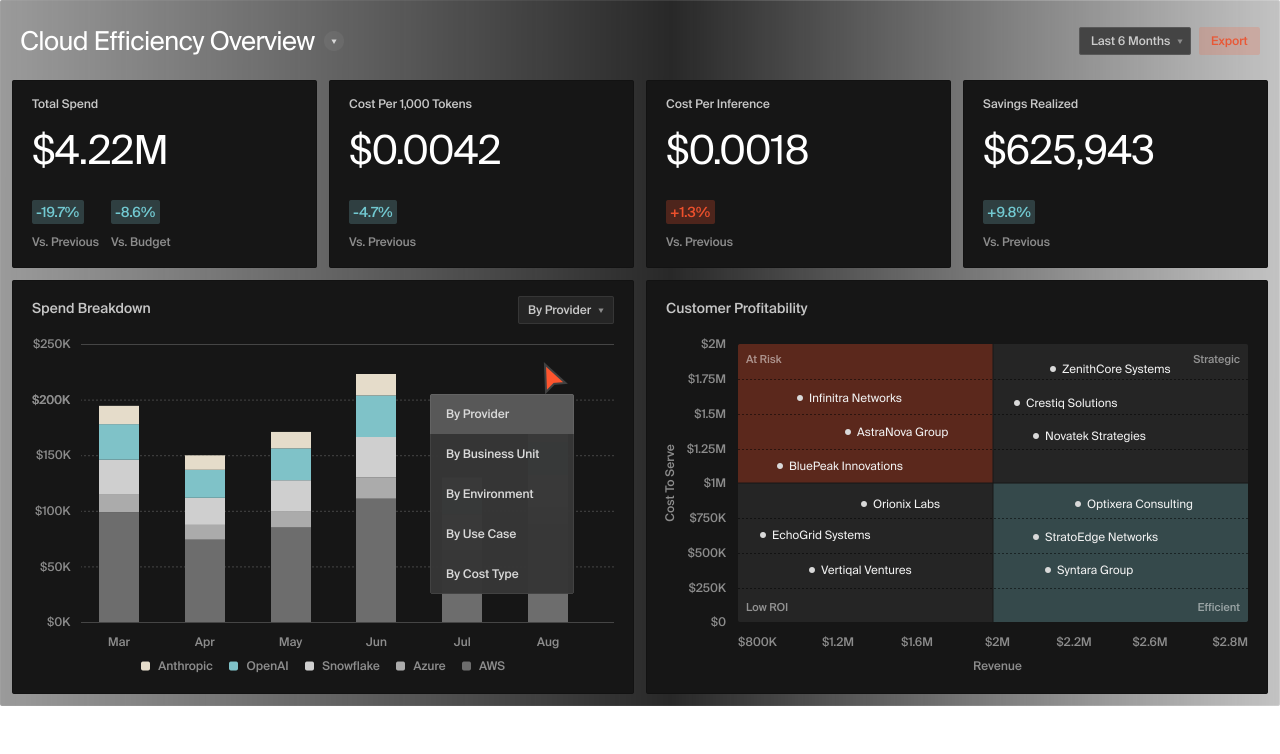
According to CloudZero’s FinOps in the AI Era 2026 report, 78% of organizations still can’t separate AI costs from general cloud spend. The problem isn’t theoretical. The FinOps Foundation’s 2026 State of FinOps survey — 1,192 practitioners representing $83 billion in cloud spend — named granular monitoring of AI spend as the single most requested tooling capability, ahead of every other feature request. The tooling hasn’t caught up to the billing complexity.
The pricing page tells you what each seat costs. CloudZero tells you what each seat produces, and which routing decisions are saving money vs. just moving it between line items.
 to see CloudZero in action.
Frequently Asked Questions About Windsurf Pricing











