Managing containerized applications or microservices can be difficult. It is even more demanding and prone to error if you do it manually. So, what’s the alternative?
Container orchestration.
Container orchestration is an automation technology that enables engineers to coordinate when containers start and stop, schedule and execute tasks, manage failovers, and perform recovery processes. The technology helps automate these tasks throughout a container’s lifecycle.
You can get started with container orchestration using our introductory guide here. In this guide, we’ll explore the role container orchestration tools play and some of the best options in the market today.
What Is A Container Orchestration Tool (And Why Use One)?
A robust container orchestration tool helps manage containers and microservices at scale. As a result, you can deploy containers across a cluster, scale them as needed, and maintain their health over time.
You define an app’s configuration with either a YAML or JSON file. This file instructs the configuration management tool on how to locate container images, set up a network, and where to store logs.
To deploy a new container, the tool automatically plans deployment to a cluster and selects the best host based on predetermined criteria. Then, using the specifications in the compose file, the tool governs the container’s lifecycle.
Another example is that many modern container orchestration tools use declarative programming to simplify container management.
With declarative language, engineers can define their desired outcome without specifying how the tool should achieve it. Conversely, imperative programming requires you to provide step-by-step instructions for achieving your goal. The result? An increase in time to benefit is bad for business.
Fortunately, there are over 100 platforms for orchestrating containers, most of which are powered by Kubernetes. The downside is that choosing the best can be challenging when numerous options are available.
In the next section, we’ll compile a list of some of the best container orchestration tools on the market today — without the technical jargon.
2026 State of AI Spend Report
Why Finance Caps What It Can’t See
Learn how finance leaders are managing AI spend, and how they’re approaching FY2027
15 Container Orchestration Tools To Know
A top container orchestration platform abstracts away underlying virtual machines or physical servers into a single resource pool.
The tools typically expose an API that allows you to determine the number of containers to deploy for a specific app and how they perform under various load conditions. By automating deployment processes within CI pipelines, teams can iterate quickly. This ability to simplify complexity has made orchestration tools so popular.
You may find these container orchestration tools helpful in your production environment.
1. Kubernetes – Open-source container orchestration platform
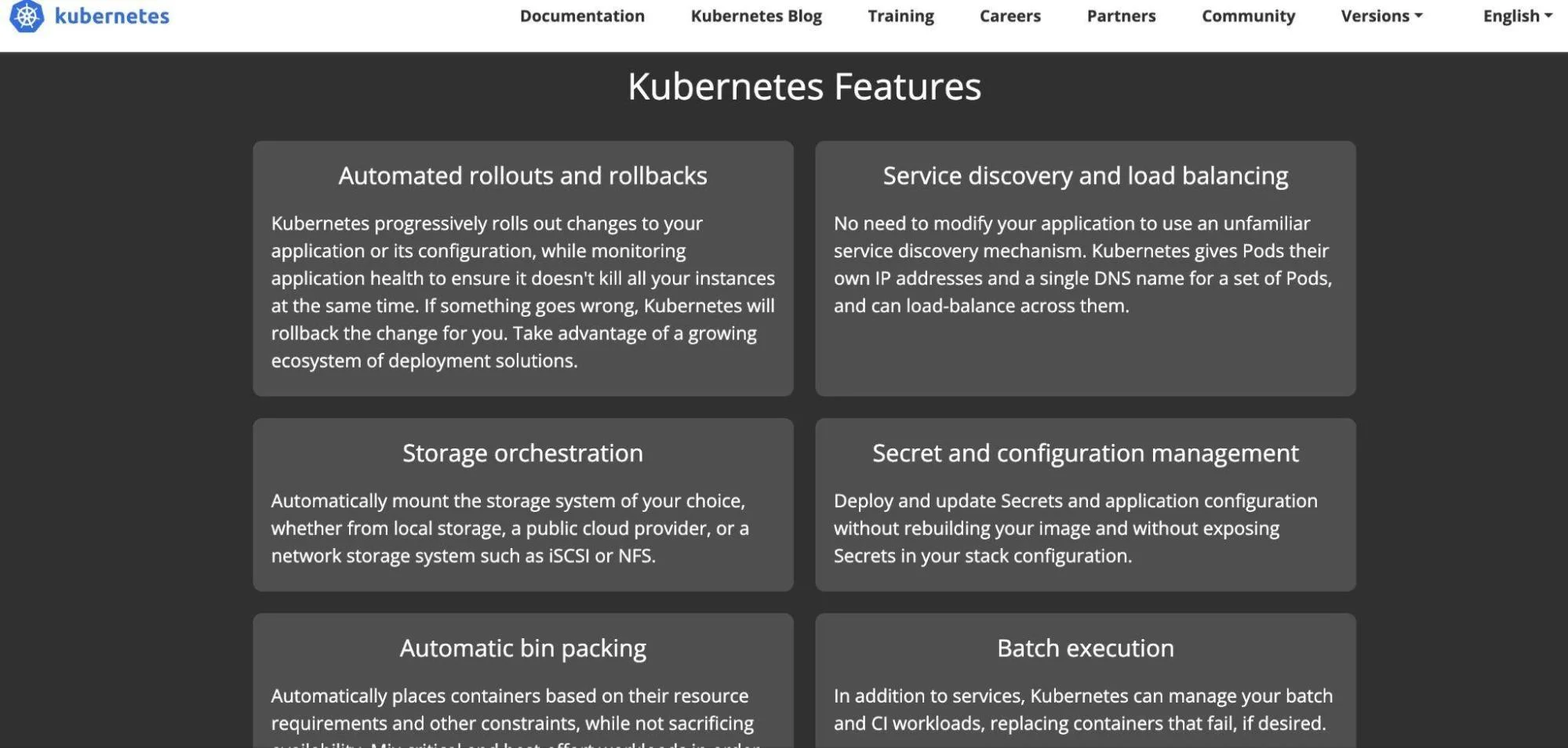
Kubernetes has replaced Docker as the most popular platform for orchestrating containers. A key feature of Kubernetes is its high extensibility, which makes it an ideal solution for managing container workloads at scale. Yet Kubernetes can also run in the cloud or on-premises (as a hybrid cloud solution).
Kubernetes also enables DevOps engineers to fully express their workloads without writing code in languages such as JavaScript, Python, or Ruby. They can use kubectl command-line utilities and YAML deployment files instead.
Moreover, Kubernetes has a wide range of community special interest groups (SIGs) that focus on specific areas of interest. In addition to introducing new features, the community continues to enhance the Kubernetes user experience.
Also, Kubernetes resources and skills are reusable across environments. As a result, Kubernetes is less fragmented than, for instance, Linux, where different distributions can differ significantly in how they install software and set up networks.
2. Docker Swarm – Docker-based cluster management and orchestration tool
Docker Swarm is a lightweight cluster management tool for Docker-based containers. Swarm mode is an open-source framework that enables you to build, deploy, run, update, and simplify container management. Docker Swarm integrates natively with Docker (a container runtime), providing a powerful combo for orchestrating containers in production.
Compared to Kubernetes, Docker Swarm features emphasize ease of use and simplicity. So, although Kubernetes and Docker share many similarities (from Manager nodes to ingress networking and load balancing), Docker Swarm is the more suitable option for organizations seeking an easier way to manage containers.
Besides macOS and Windows, Docker containerization is compatible with most other platforms. You can also run Docker containers on any OS and all major cloud providers, such as Amazon Web Services (AWS), Microsoft Azure, Google Cloud Platform (GCP), and IBM Cloud.
Note: While Kubernetes and Docker Swarm are both orchestration tools, Kubernetes offers greater scalability and flexibility, while Swarm is simpler to manage. Docker itself isn’t an orchestrator but a platform for building and running containers. Here’s a detailed breakdown of Kubernetes vs. Docker.
3. Red Hat OpenShift – Cloud, hybrid cloud, and self-managed orchestration tool
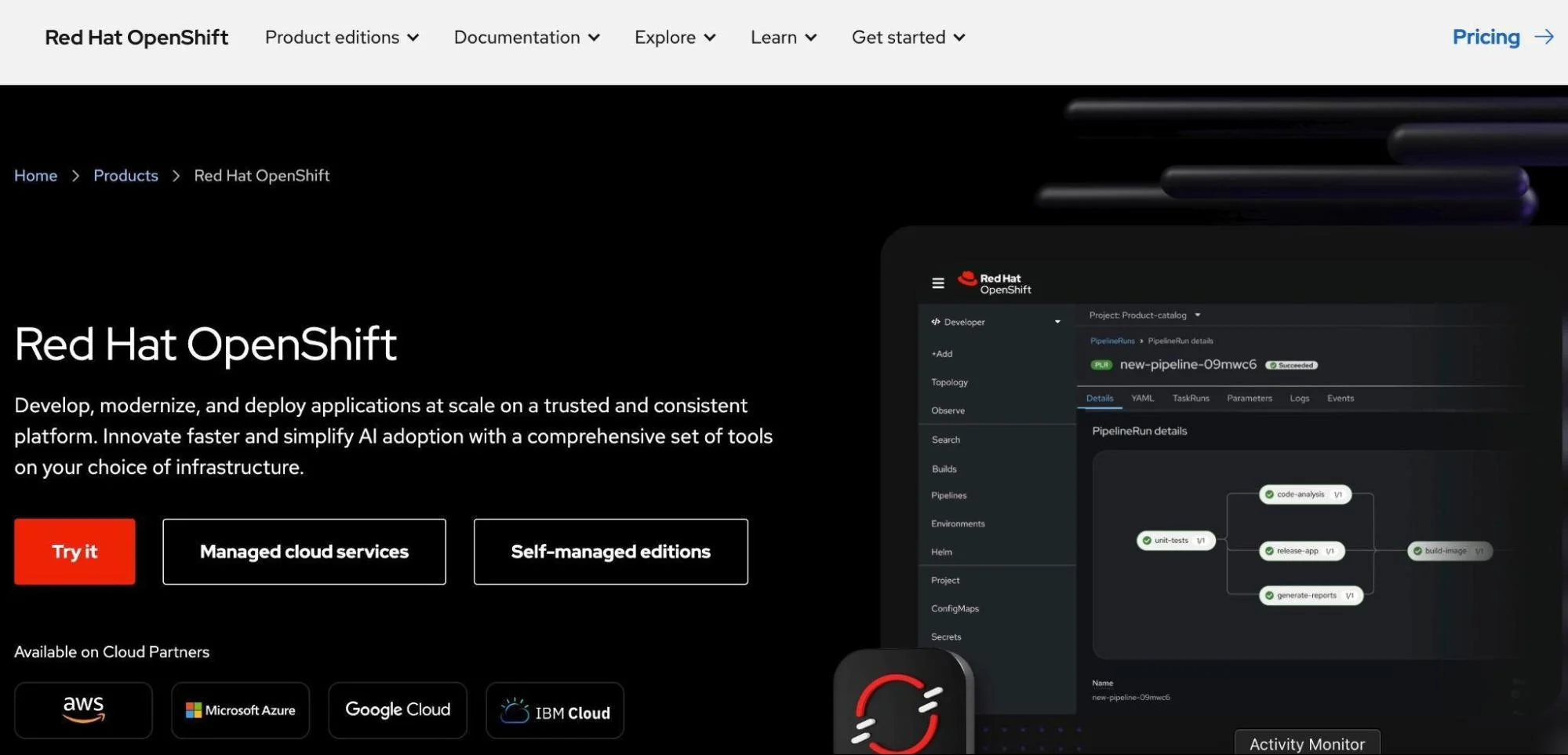
OpenShift is a group of containerization tools that simplifies container management and orchestration. It offers both cloud-based and self-managed container orchestration capabilities. It functions as both a Platform-as-a-Service (PaaS) and a containerization solution.
Yet part of it is also built on Docker.
With the OpenShift Container Platform, you get superior security, built-in monitoring, unified policy management, and compatibility with Kubernetes container workloads. The platform is also fast, offers self-service provisioning, and comes with networking plugins pre-installed. Also, because OpenShift integrates with numerous systems, there is little risk of vendor lock-in.
There’s more. OpenShift OKD, the open-source project, enables developers to build, test, and deploy applications to the cloud. It also supports Node.js, Go, Ruby, PHP, Python, Java, and Perl programming languages. Still, OpenShift may be ideal for organizations that have dealt with, use, or plan to use Red Hat products, like CentOS and Fedora.
4. Apache Mesos – Distributed systems kernel
Mesos by Apache manages workloads in distributed environments by dynamically isolating and sharing computing resources. It is ideal for deploying and managing large-scale, clustered applications.
A Mesos node cluster pools existing resources to serve a wide range of workloads. The abstraction removes the need to assign specific machines for specific workloads.
How Apache Mesos works is by operating between the application layer and the operating system. In a sense, it’s like a kernel for a data center. You can isolate processes in a cluster by specifying CPU, memory, rack locality, file system, and I/O resources. Mesos is thus able to provide centralized, vast resources for workloads.
Mesos also uses Apache Zookeeper to ensure that all clients receive consistent data from distributed processes. It utilizes the Chronos Scheduler to run and stop services, and the Marathon API to scale and load balance services.
Although Apache Mesos doesn’t support service discovery natively, the applications it runs do, including Kubernetes and Docker.
5. Digital Ocean Kubernetes Engine – Managed Kubernetes tool for DO customers
DigitalOcean Kubernetes (DOKS) enables you to deploy Kubernetes clusters without worrying about underlying container infrastructure or control planes.
DO’s CNCF Certified Conformant Kubernetes is highly available (99.95% in its SLA), supports hybrid cloud environments, and is highly scalable (using Cluster AutoScaler). Clusters are compatible with most Kubernetes tools. They also integrate natively with DigitalOcean block storage volumes and Load Balancers.
The DigitalOcean Kubernetes platform is also suitable for small businesses. With DOKS’ free control plane and low-cost bandwidth, you can start as low as $12 per month and scale up over time.
6. Nomad by HashiCorp – Orchestration tool for containerized and non-containerized applications
If you already use HashiCorp products like Terraform, Vault, and Consul, Nomad will be a natural fit. Nomad stands out for several reasons. First, it supports both on-premises and cloud deployments.
Additionally, Nomad orchestrates both non-containerized and containerized workloads. This means you can use it as a supplement or alternative to Kubernetes. In either case, Nomad is a more flexible and simpler scheduler and orchestration tool than many competitors.
Since it runs as a single binary, it also occupies little space. Yet it supports many more workloads beyond containers. For example, it supports Java, Windows, virtual machines, and Docker workloads.
You can also download the open-source, self-managed Nomad binary and run it locally or within your environment. You can try Nomad Enterprise (with a free trial) if you need a large-scale implementation.
7. Rancher – Enterprise Kubernetes management tool
Rancher is an open-source suite of cluster and container management tools that help deliver Kubernetes-as-a-Service. The solution enables you to achieve this whether you deploy in the cloud, on-premises (in a data center), or at the edge. It is also ideal for orchestrating containers across clusters, hybrid clouds, and multi-clouds.
Rancher addresses the security and operational challenges of managing multiple Kubernetes clusters. Besides, it offers multiple integrated tools to help DevOps teams manage containerized workloads effectively.
Rancher’s other unique feature is that it supports any CNCF-certified Kubernetes distributions. That includes Rancher Kubernetes Engine (RKE), EKS, GKE, AKS, and K3s. It further enhances Kubernetes by integrating widely used open-source tools, such as Fluentd, Prometheus, Istio, and Grafana. Should you decide to switch to a different vendor, Rancher provides a clean uninstallation process, unlike many other Kubernetes distributions.
8. Amazon Elastic Container Service (Amazon ECS) – Proprietary AWS container orchestration service
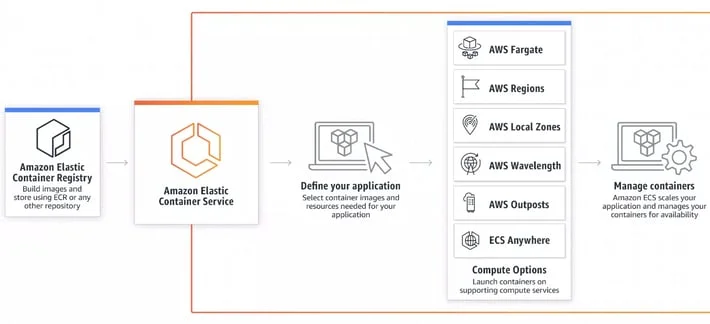
Amazon ECS is a fully managed AWS container service. It delivers a secure and highly scalable container orchestration service. ECS is an excellent option if you have sensitive, mission-critical workloads or have committed to using AWS products in the long term.
Both Fargate and EC2 instances can run these containers. Your DevOps team can quickly deploy and run Docker containers using AWS’ Elastic Container Service (EC2). Yet, ECS integrates natively with Amazon Fargate, an AWS serverless computing engine, as well as many other AWS services.
As a result, you don’t have to worry about server provisioning — only about specifying resource requirements. So, you can focus more on optimizing applications and less on managing infrastructure.
Besides, Amazon EC2 comes with built-in cost optimization features like utilizing EC2 Spot instances and Fargate Spot tasks, which can reduce your running costs by up to 90%.
9. Amazon Elastic Kubernetes Service (Amazon EKS) – AWS-managed Kubernetes service
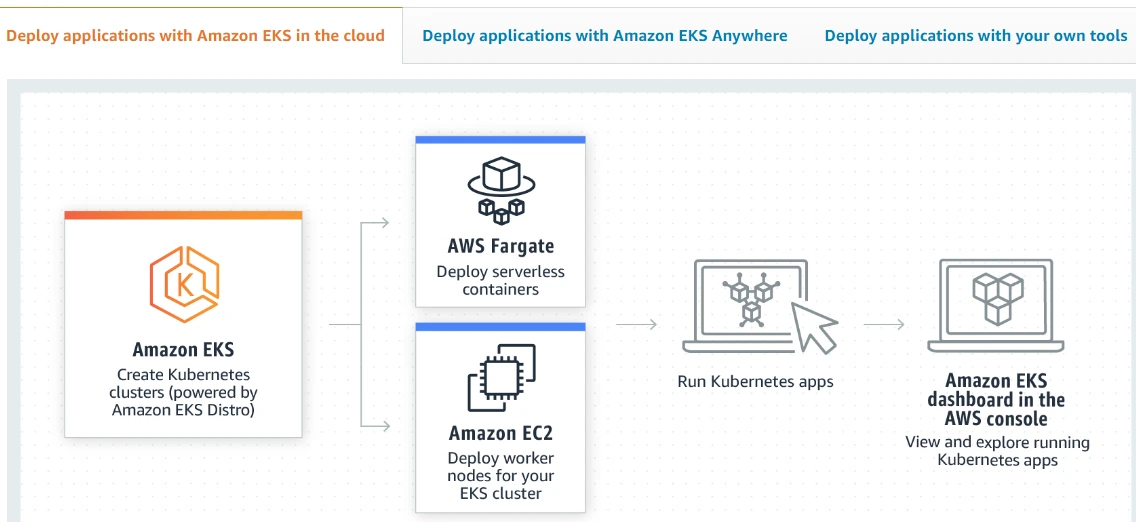
While ECS helps start, run, and scale Docker containers, Amazon EKS provides a fully managed orchestration tool for Kubernetes clusters on AWS. You can use EKS on-premises or in the cloud. If you want to run EKS with your own tooling, the self-managed option will help you run it on bare metal servers, VMs, and Amazon EC2 instances.
Similarly to ECS, you can choose which compute power option to use between Fargate and ECS instances. Also, Amazon EKS integrates natively with many essential AWS services, such as Auto Scaling Groups (scalability), CloudWatch (monitoring), and IAM (access control), to provide a seamless experience throughout your containerized environments.
EKS is an upstream Kubernetes offering that’s Certified Conformant, so you can use EKS with most Kubernetes tools and plugins currently available. In addition, EKS automatically starts, runs, and scales Kubernetes with three master nodes over multiple zones, which ensures high-level reliability.
10. Microsoft Azure Container Tools – Managed container and Kubernetes management solutions
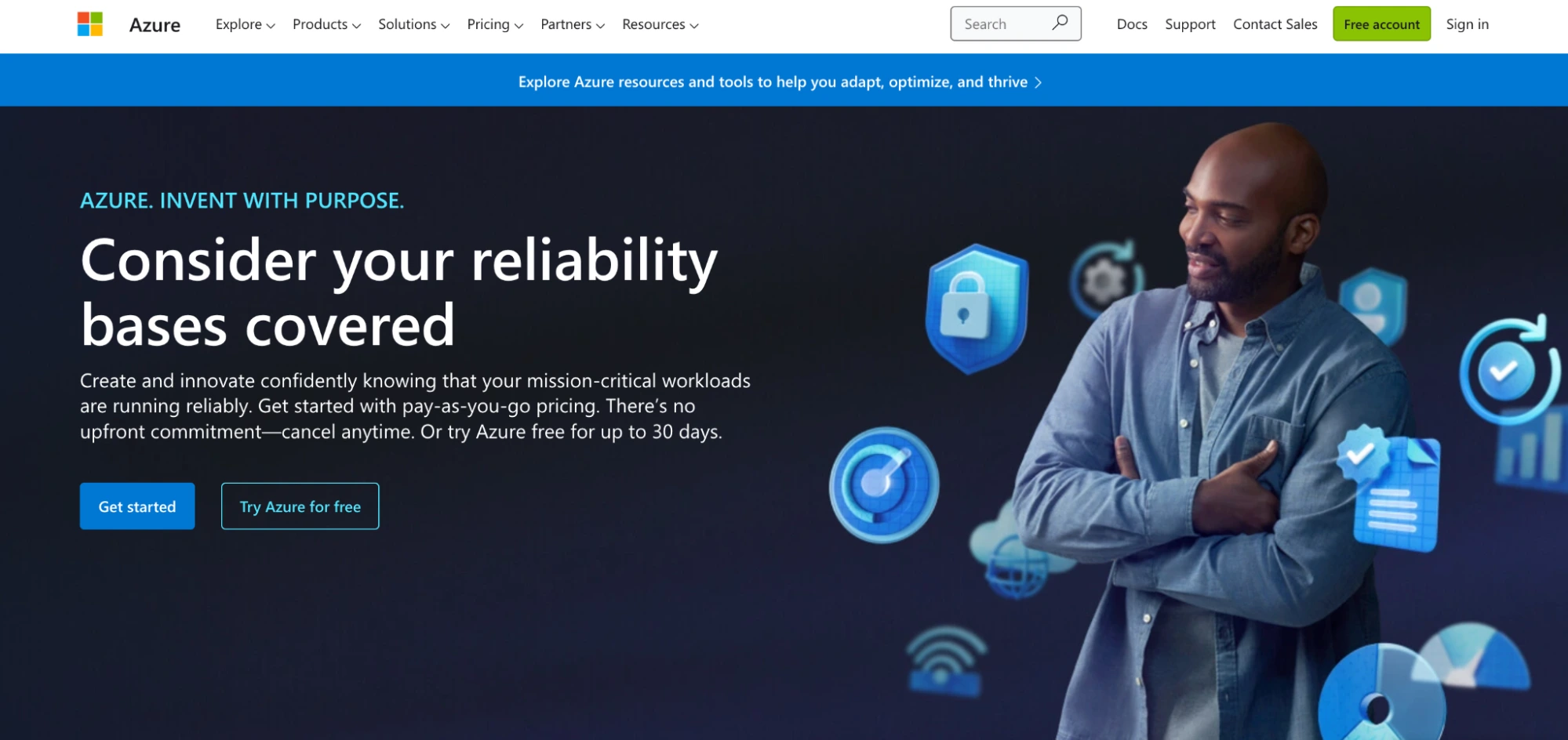
After AWS, Microsoft’s Azure Cloud is the most popular cloud provider. However, enterprises prefer Azure. To help these customers start, run, and scale containerized apps at scale, Azure offers a range of container and cluster management solutions. They include:
- Azure Container Apps: Enables you to create serverless microservices using containers. Then again, the ACA does not provide API access, unlike AKS.
- Azure Container Instances: ACI offers one pod of Hyper-V isolated containers as needed. It is less complex than Container Apps. However, ACI containers do not provide concepts such as scale, load balancing, or certificates. For example, when you want to scale up to five containers, you create five different container instances. However, this service provides several application-specific capabilities on top of containers, such as scaling, certificates, revisions, and environments.
- Azure Kubernetes Service: Like Amazon EKS, AKS is a free, fully managed Kubernetes service on Azure. You can run any Kubernetes workload on it, plus it supports direct access to the Kubernetes API. As a hosted Kubernetes service, it also monitors and maintains critical tasks, such as health monitoring and maintenance.
Compare Azure ACI vs. AKS or explore ACA to determine which Azure container service is best for your production needs.
11. Google Kubernetes Service (GKS) – Managed Kubernetes Service by Google
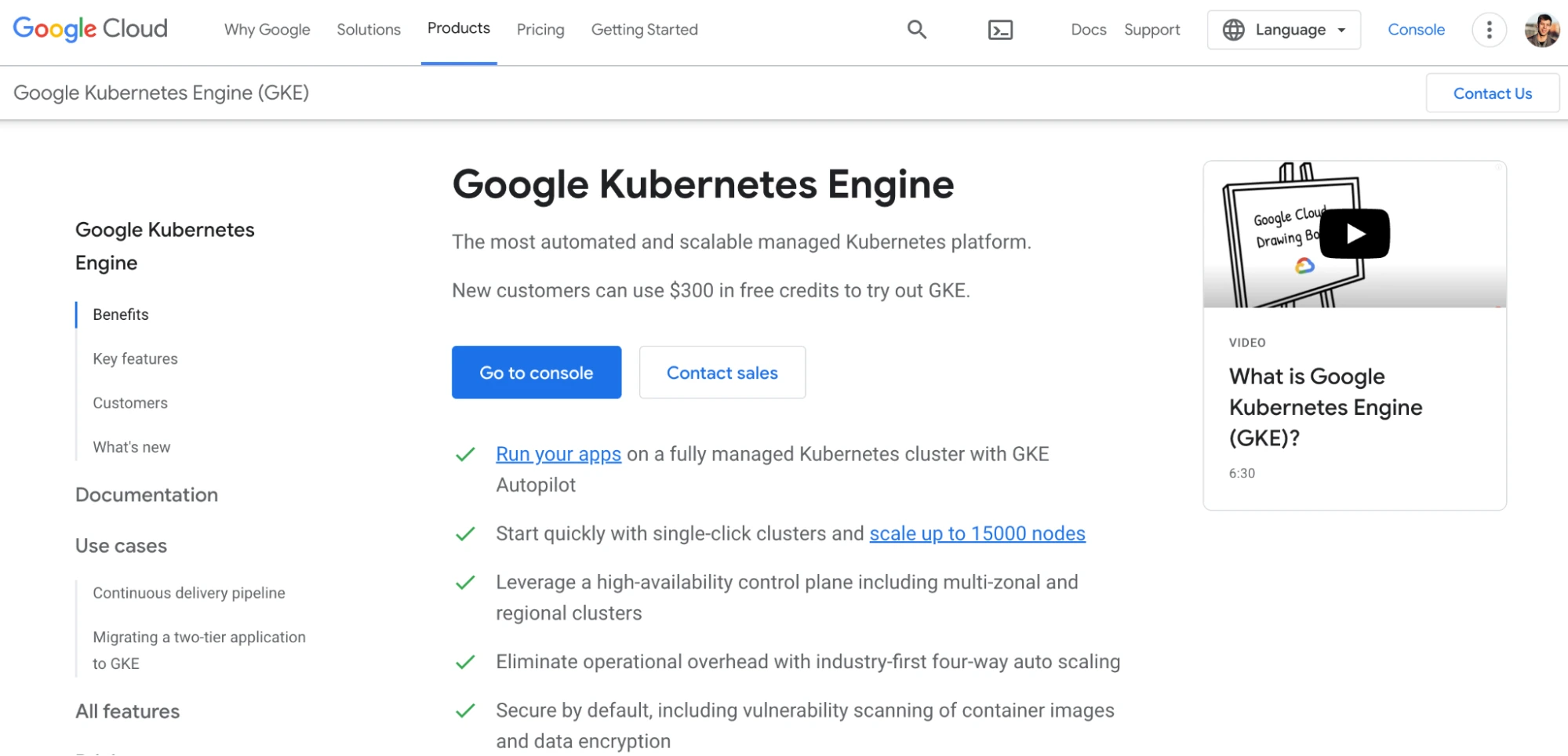
GKE provides a managed framework for deploying, managing, and scaling containerized applications on Google infrastructure. Google originally built Kubernetes (as Borg), and its GKS service shows. Kubernetes cluster management powers GKS clusters, for example.
You utilize Kubernetes commands and tools to deploy, run, and manage your containerized applications, set policies, run administrative tasks, and keep track of your workload’s health. Some key advantages of GKE are its fast performance, scalability (up to 15,000 nodes), high availability, and multi-zone support.
In the hosted environment, Google technicians manage essentials like rolling updates. Autopilot mode will manage your cluster and infrastructure on your behalf. However, you can opt for Standard mode, which provides complete control over cluster management and node configuration.
Note: If you need an alternative to Google-based serverless container orchestration, consider Google Cloud Run.
12. Portainer – Universal container management tool

With Portainer, you get a container management system that works with Kubernetes, Docker, Swarm, and Nomad deployments. Regardless of the IIOT device, Network Edge, cloud, or datacenter (on-premise), you can configure, deploy, monitor, and secure any of these.
There is a Community Edition (Portainer CE) and a Business Edition (Portainer BE). But even the self-service platform packs a simplified UI and code that lets you deploy your containerized workloads more quickly. The default configurations and templates speed up deployments and help prevent production errors.
Portainer also supports multi-cloud and multi-cluster management, along with centralized identity, audit, and access to enhance security.
13. Mirantis Kubernetes Engine – Orchestrate Kubernetes or Swarm at the same time, on the same cluster
With the Mirantis Kubernetes Engine, you can rapidly build, configure, and update production-ready Swarm and Kubernetes clusters with minimal expertise. As a complete enterprise container solution, it provides full-stack management.
Mirantis can manage your entire Kubernetes or Swarm stack remotely. The Mirantis platform is also open-source and extensible, allowing you to avoid vendor lock-in and easily enhance your system as needed.
The platform supports both Kubernetes and Swarm orchestrators in the same cluster. Despite this, Mirantis’ container solution is simple enough for seamless deployments of Linux and Windows.
Currently, the platform supports workloads on AWS, Equinix Metal, and Microsoft Azure. In terms of container security and compliance, Mirantis provides custom RBAC, two-factor authentication, and continuous compliance. You can also configure the tool to provide Kubernetes with Calico networking (or a different CNI plug-in option) and Istio ingress.
14. Linode Kubernetes Service – Simple hosted Kubernetes platform
Akamai’s Linode Kubernetes Engine (LKE) provides fully managed container orchestration in the cloud. It is one of the simplest hosted Kubernetes platforms on the market for microservices and modern containerized applications. Setting up, provisioning, and administering your clusters takes a few clicks.
Linode, like most modern container orchestration tools, is built on Kubernetes. This makes it highly portable and extensible. It also integrates with many Kubernetes-compatible tools. For example, LKE supports Rancher, Helm Charts, and Operators.
It now offers a high-availability control plane (API, etcd, scheduler, and resource controllers), continuously backs up your clusters’ metadata (including automated recovery), and offers simplified pricing. Then again, you may want to check if the service is available in your region first.
15. Volcano – Open-source batch solution on top of Kubernetes

Volcano delivers a general-purpose batch scheduling solution powered by Kubernetes. Besides HPC scenarios, it also covers Big Data and AI use cases in cloud-native architectures. Volcano integrates with multiple computing frameworks, including TensorFlow, MindSpore, and Spark, helping you configure a cohesive container platform using Kubernetes.
Volcano’s powerful and versatile batch scheduling capabilities include gang and query scheduling, job- and namespace-based fair share, and reservation and backfill. It also provides a variety of capabilities, including job lifecycle management, command-line interface, multi-cluster scheduling, job view, data management, and hardware acceleration.
Note: Helios is a Docker orchestration solution that helps deploy and manage containers across multiple servers. It provides an HTTP API and a command-line client to communicate with your container servers. Spotify built Helios but later archived it after Kubernetes and other orchestration tools gained popularity. It currently accepts bug fixes but not new features.
What Next: Control Your Containerized And Non-Containerized App Costs With Cloud Cost Intelligence
Utilizing containerized applications and microservices is a strategic approach for modern applications. Both architectures are highly scalable, resilient, and fast. These same characteristics, however, can cause your cloud costs to spiral out of control.
However, most container orchestration tools do not provide cost management and optimization features. The few dashboards that provide usage and cost metrics do not map costs to specific people, processes, or products.
For this reason, you’ll need a dedicated cost platform to measure costs within your containerized infrastructure — down to the pod and hour levels.
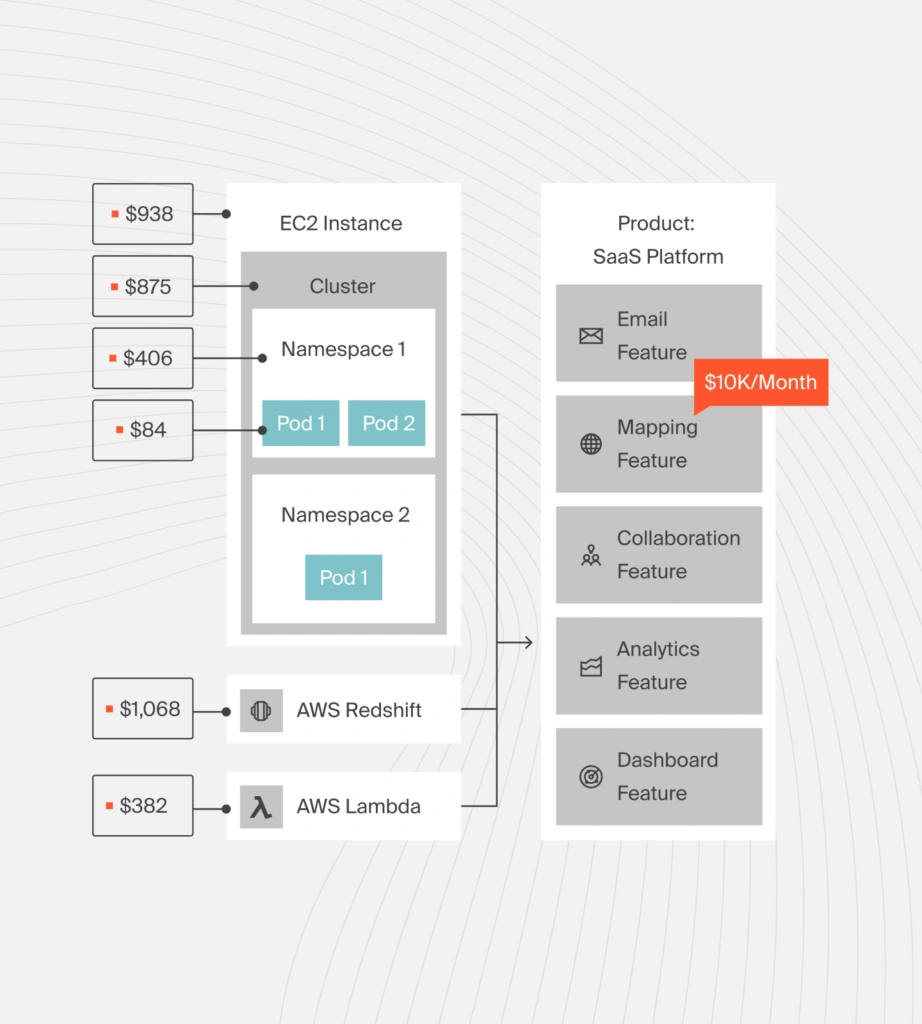
CloudZero helps SaaS and tech brands do this on Kubernetes, Snowflake, and AWS. It provides visibility into containerized and non-containerized infrastructure without requiring manual tagging.
With CloudZero’s cloud cost intelligence platform, you can view costs per product, feature, and customer seamlessly, whether you run only on Kubernetes or are just transitioning. Then you can make informed decisions, such as how to price your services to a specific customer or customer segment, to protect your margins.
You don’t have to take our word for it.  to see CloudZero’s Kubernetes cost intelligence, easy-to-understand unit cost analysis, and continuous cloud cost optimization.